See How Healtime Works
Explore the real booking system, dashboard, and customer experience.
Watch Booking Process
Try It Live
Explore the full system with our interactive demos. Test the customer booking experience and manage everything from the admin panel.
Customer Demo
Experience the booking flow as your customers do
Demo URL:
https://healtime.vercel.app/
Admin Panel
Manage bookings, customers, and business settings
Admin URL:
https://healtime.vercel.app/admin
Login Credentials:
Email:
demoadmin@healtime.com
Password:
demoadmin123
Product Preview
Real screenshots from the Healtime system
Customer View
See how customers experience the booking process
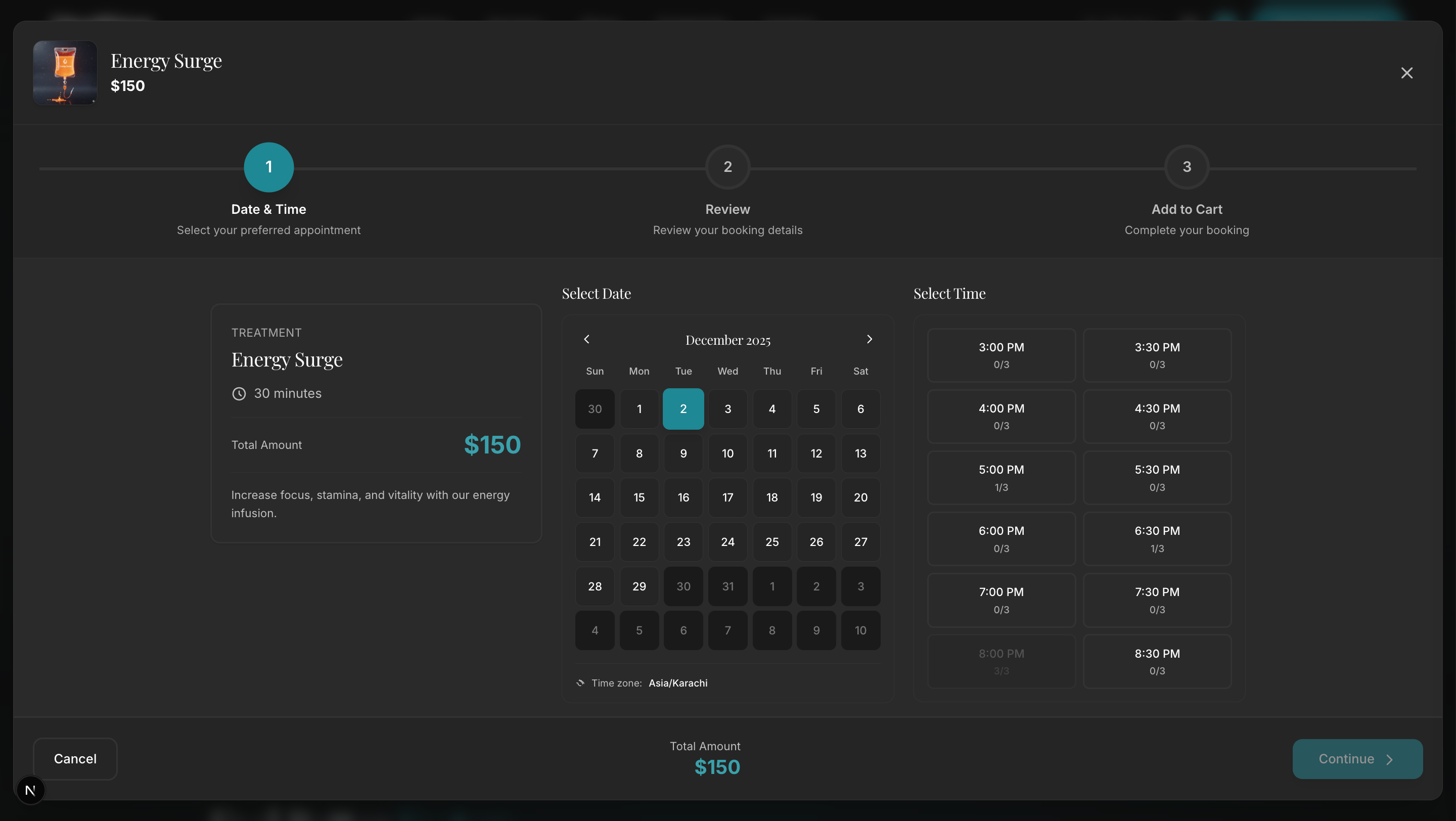
Booking Step 1 – Select Date & Time
Choose your preferred date and time slot
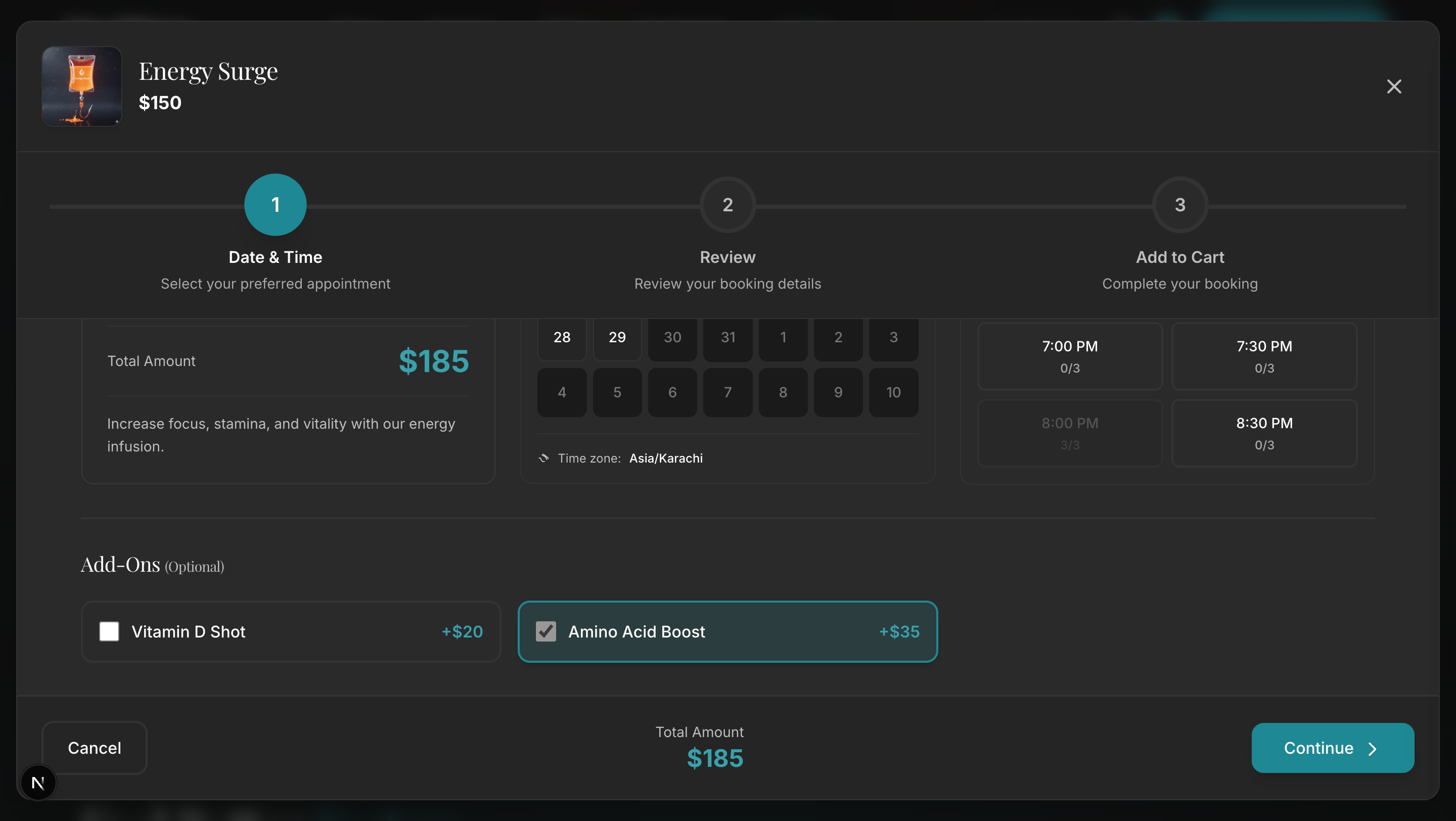
Booking Step 2 – Select Add-Ons
Add additional services and upsell opportunities
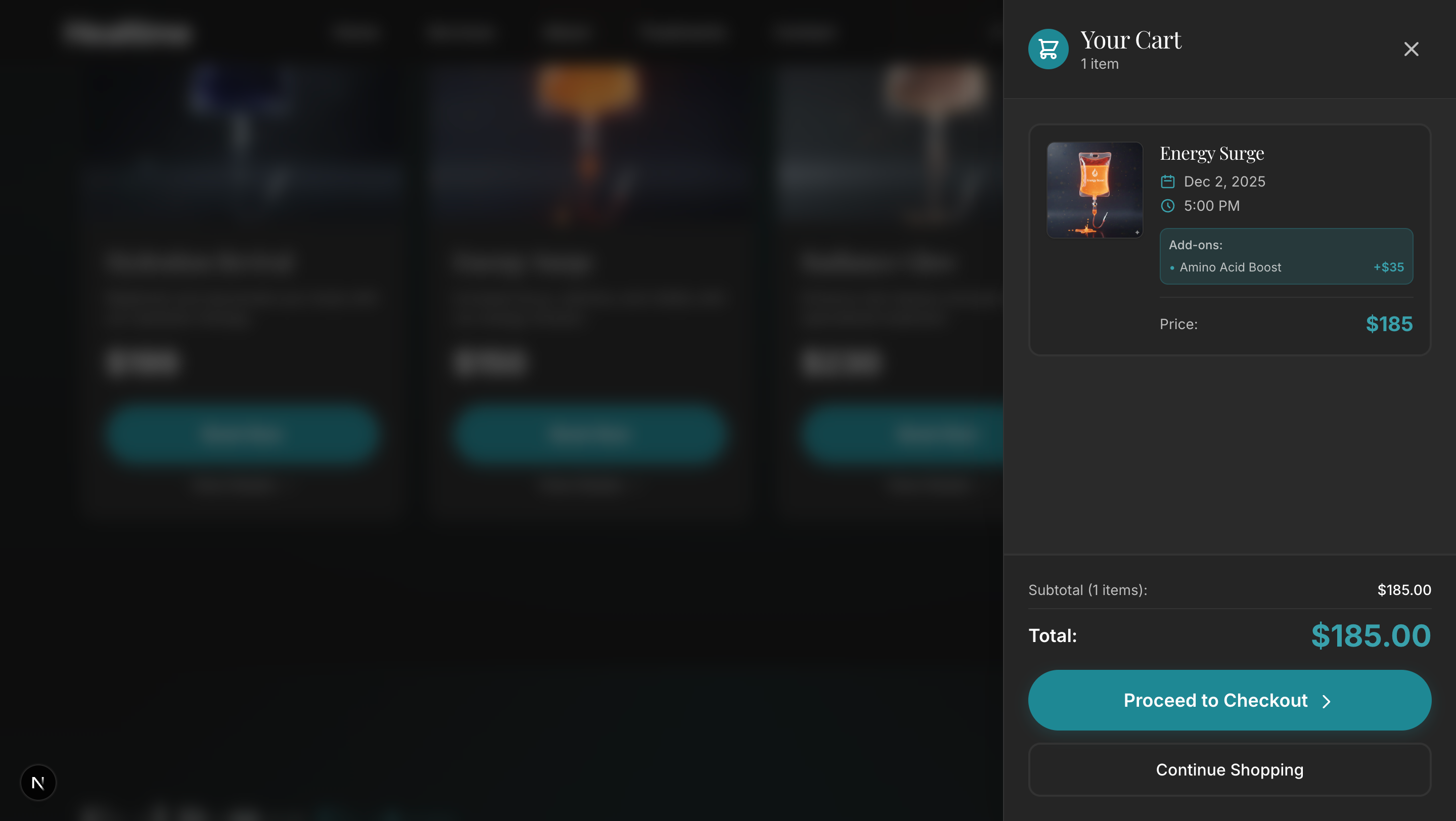
Booking Step 3 – Add to Cart
Review selected services before checkout
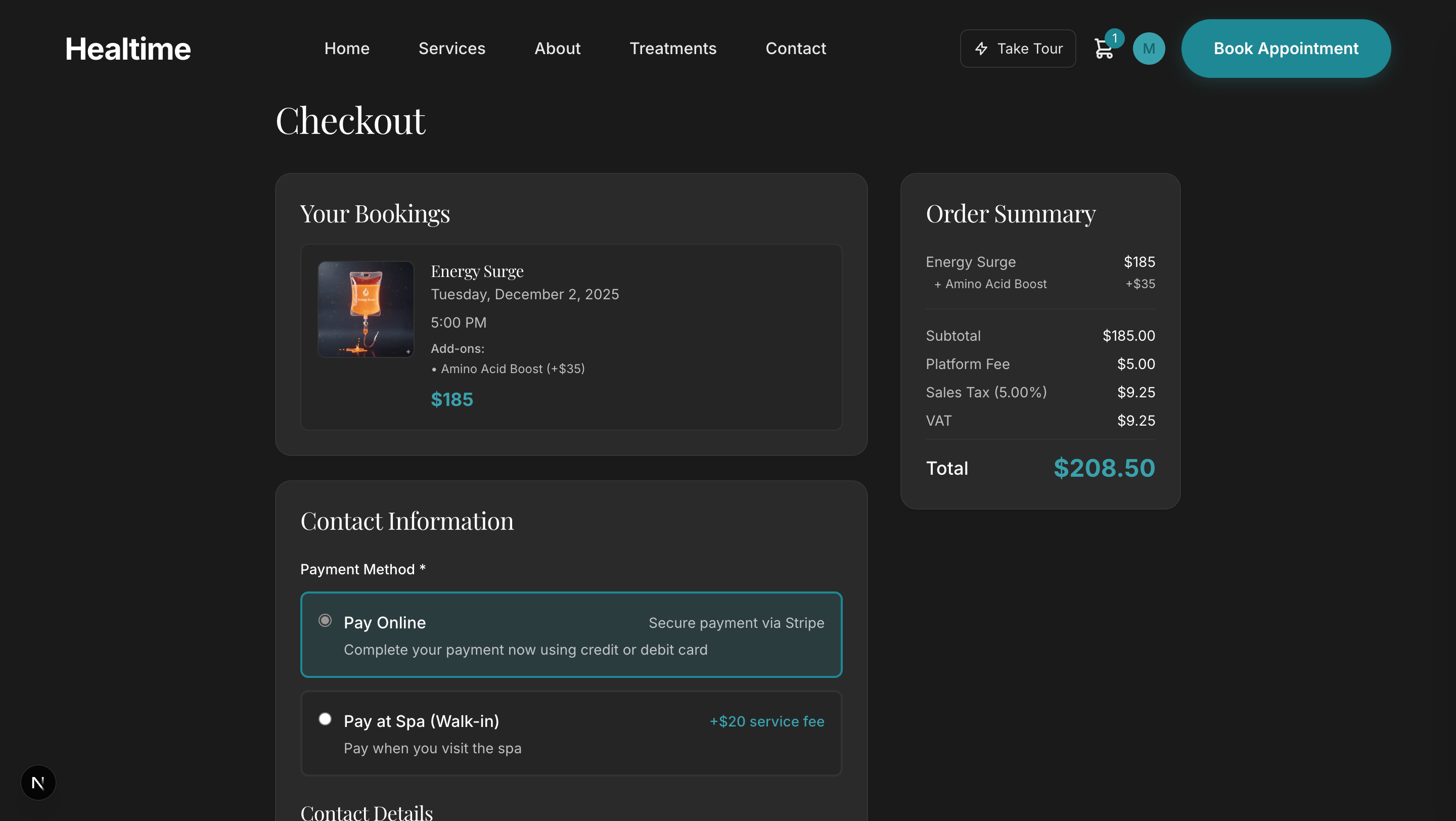
Booking Step 4 – Checkout
Complete your booking details
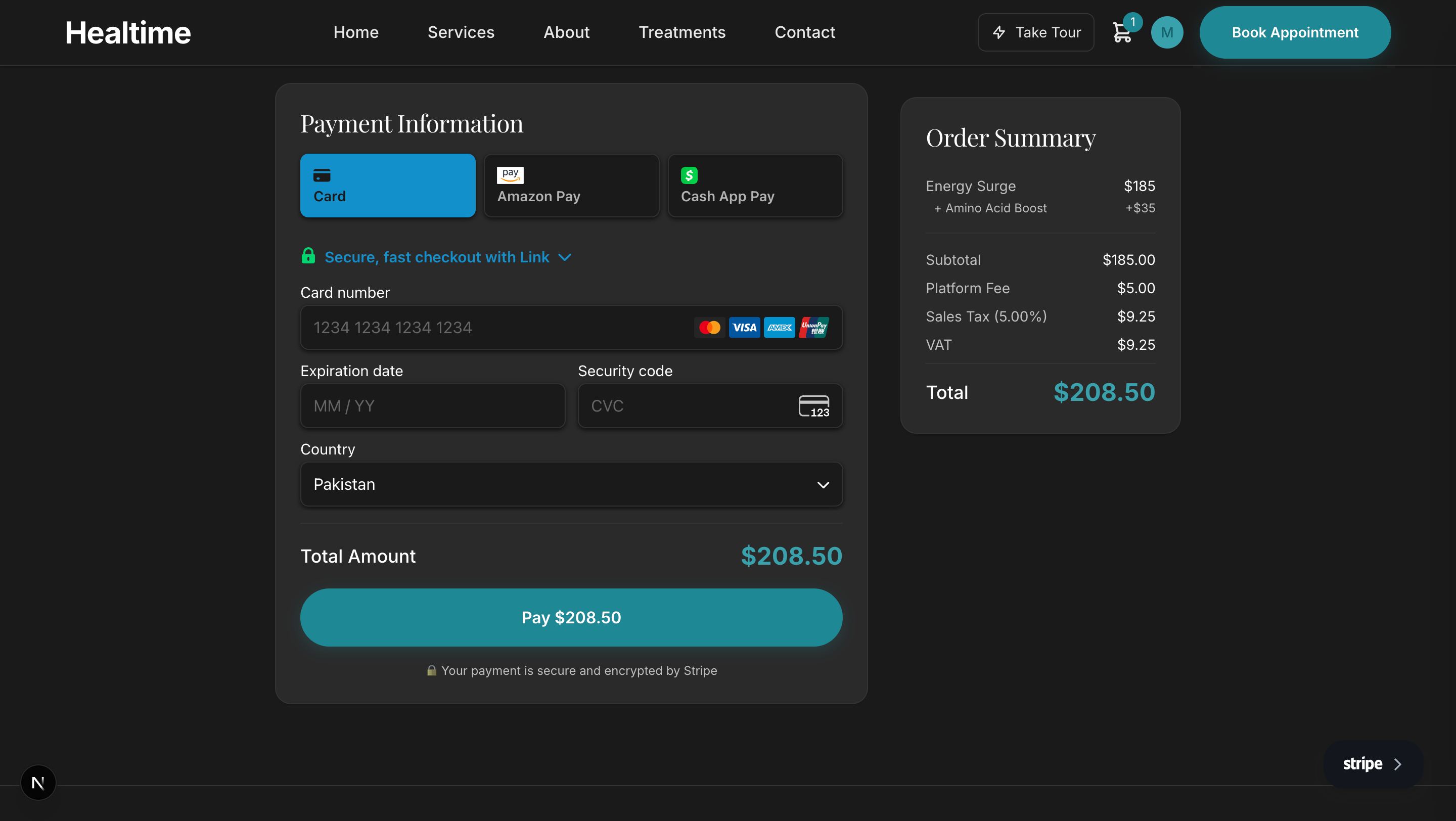
Booking Step 5 – Stripe Payment
Secure payment processing with Stripe
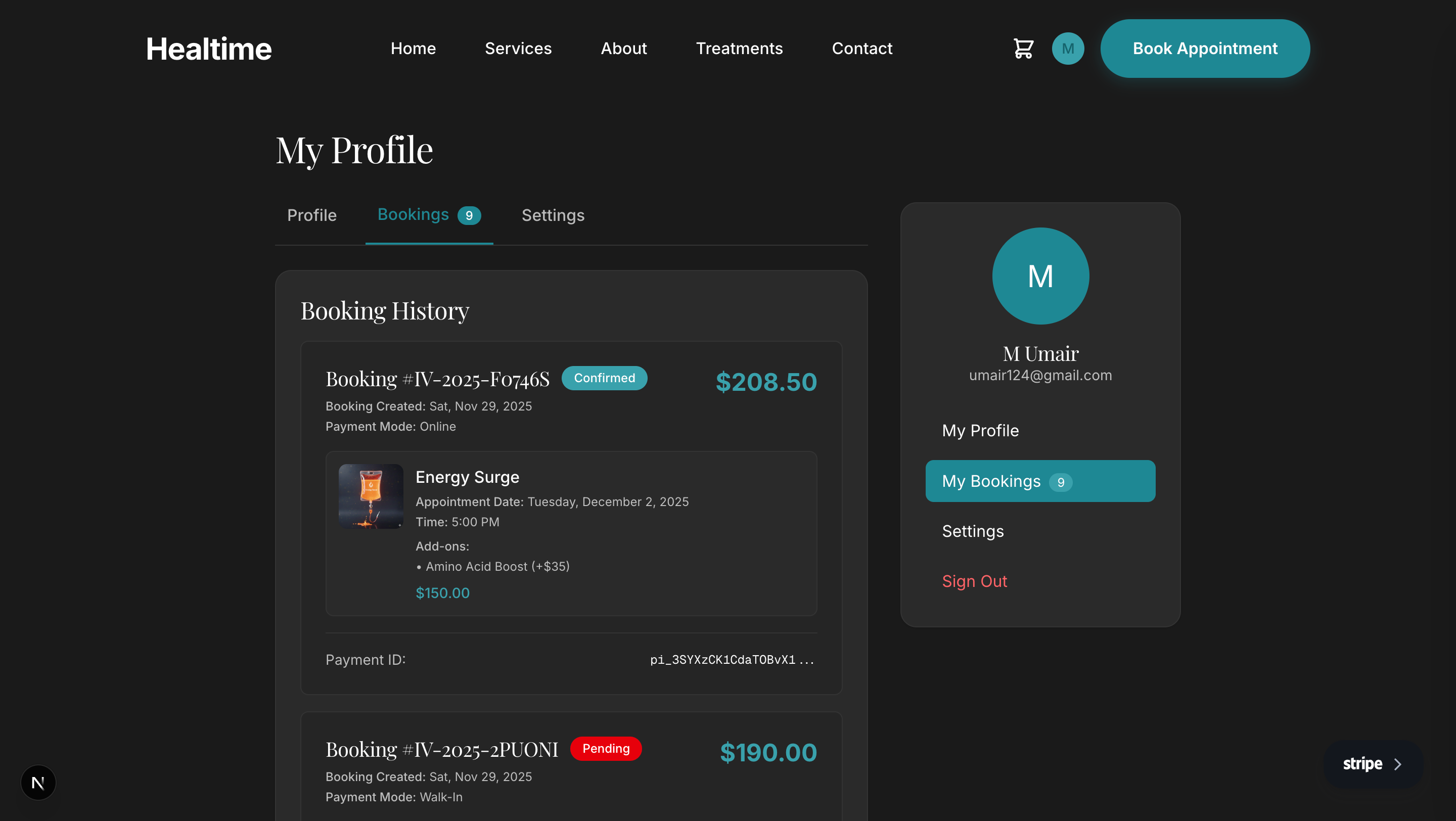
Customer Portal – Booking History
View and manage all your appointments
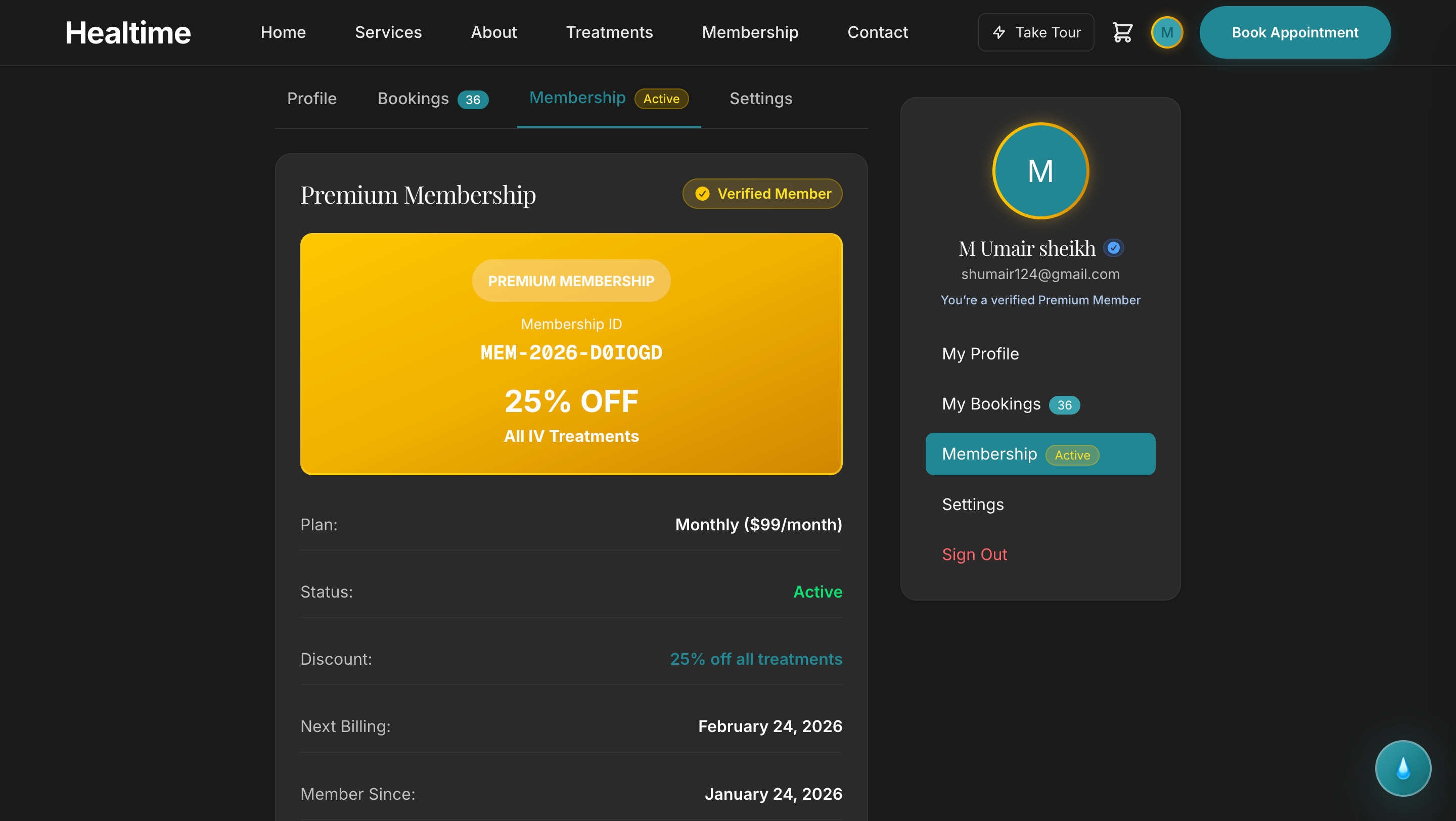
Membership – Plan Details
Show full membership benefits, pricing, and what's included
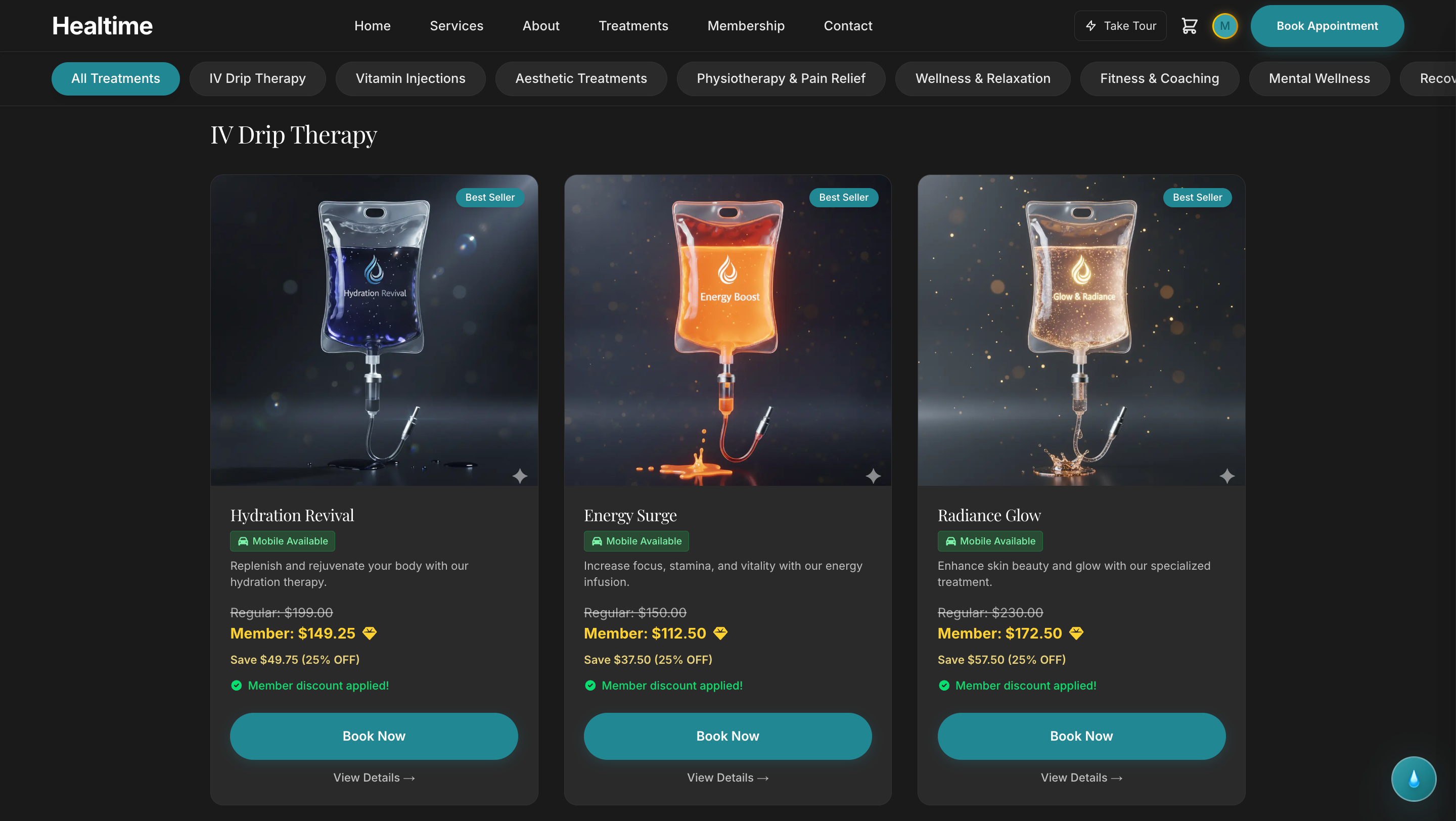
Membership – Exclusive Discounts
Highlight discount tiers and member-only offers
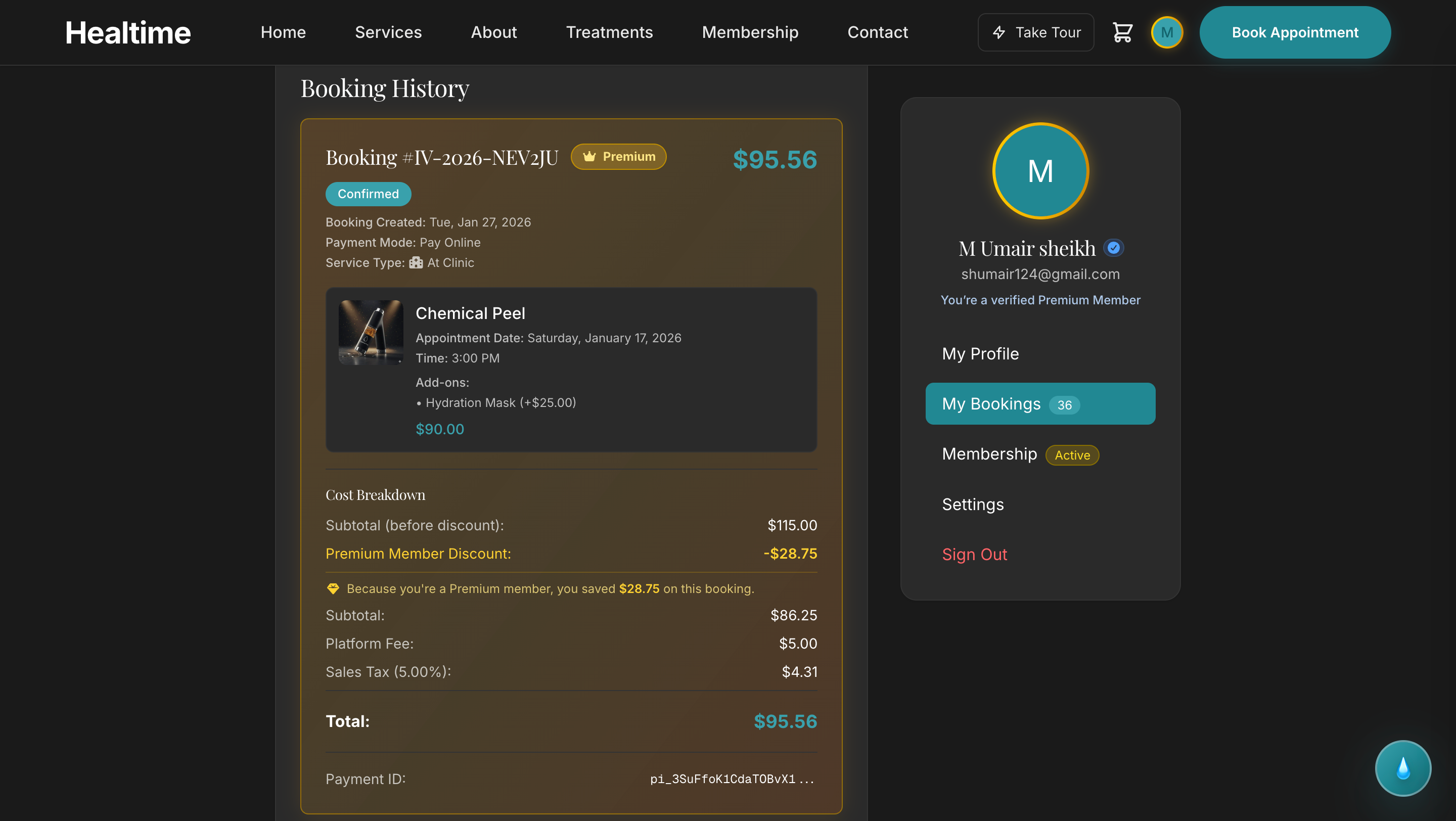
Membership – Booking View
See how members redeem sessions included in their plans
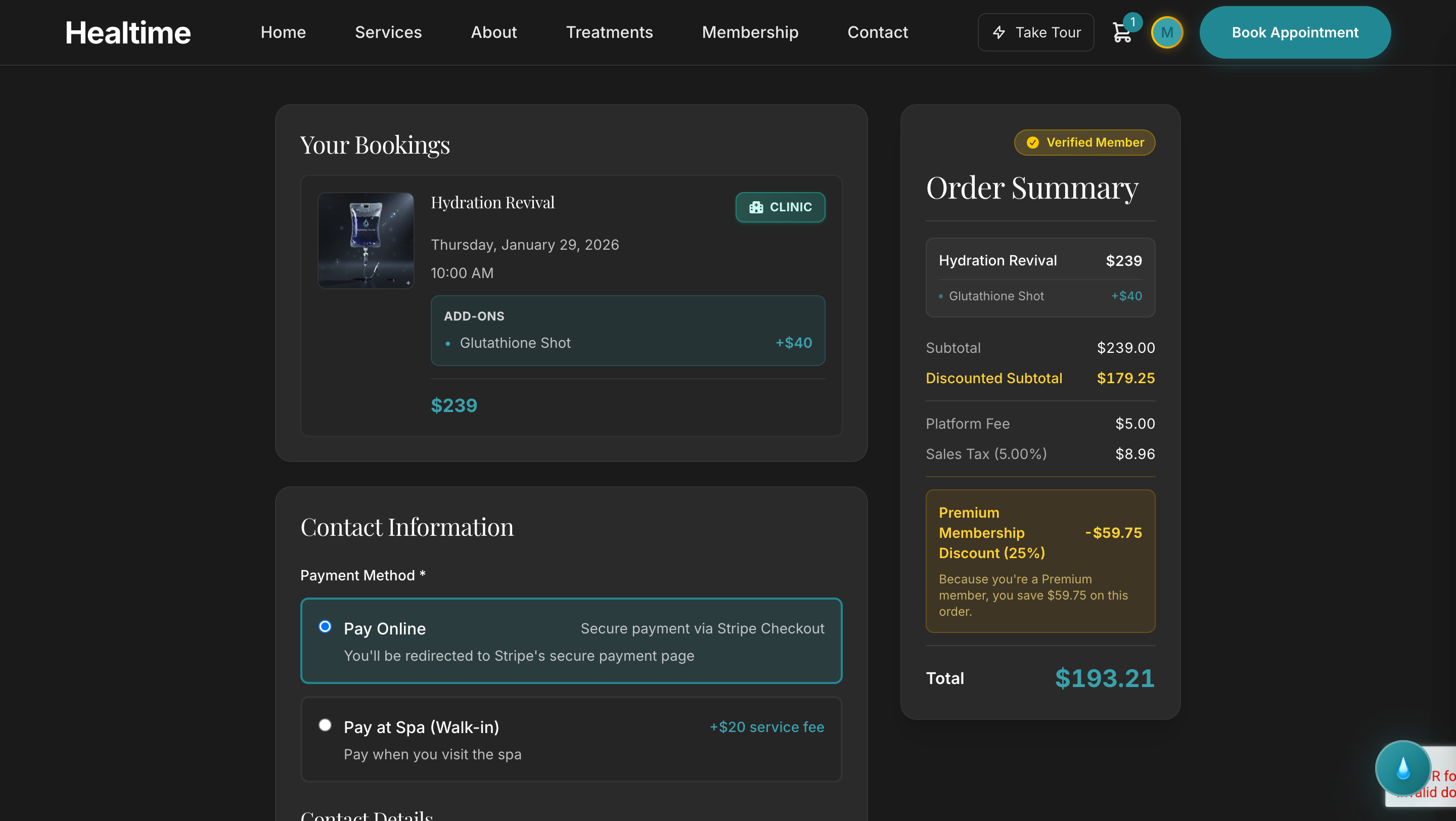
Membership – Checkout Summary
Clear breakdown of membership pricing and included value
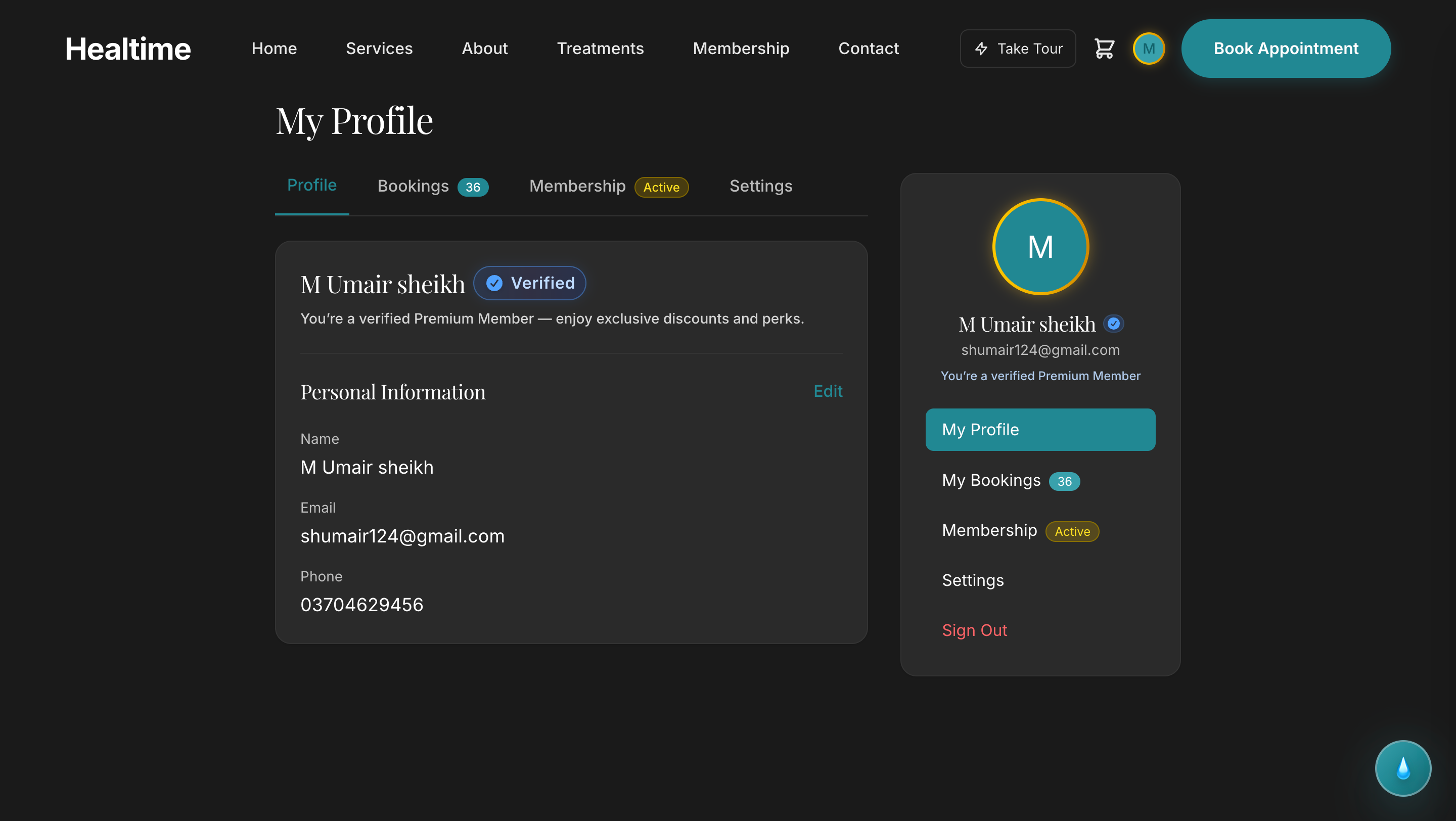
Customer Portal – Membership Profile
Review active memberships, usage, and renewal details
Admin View
Manage your business with powerful admin tools
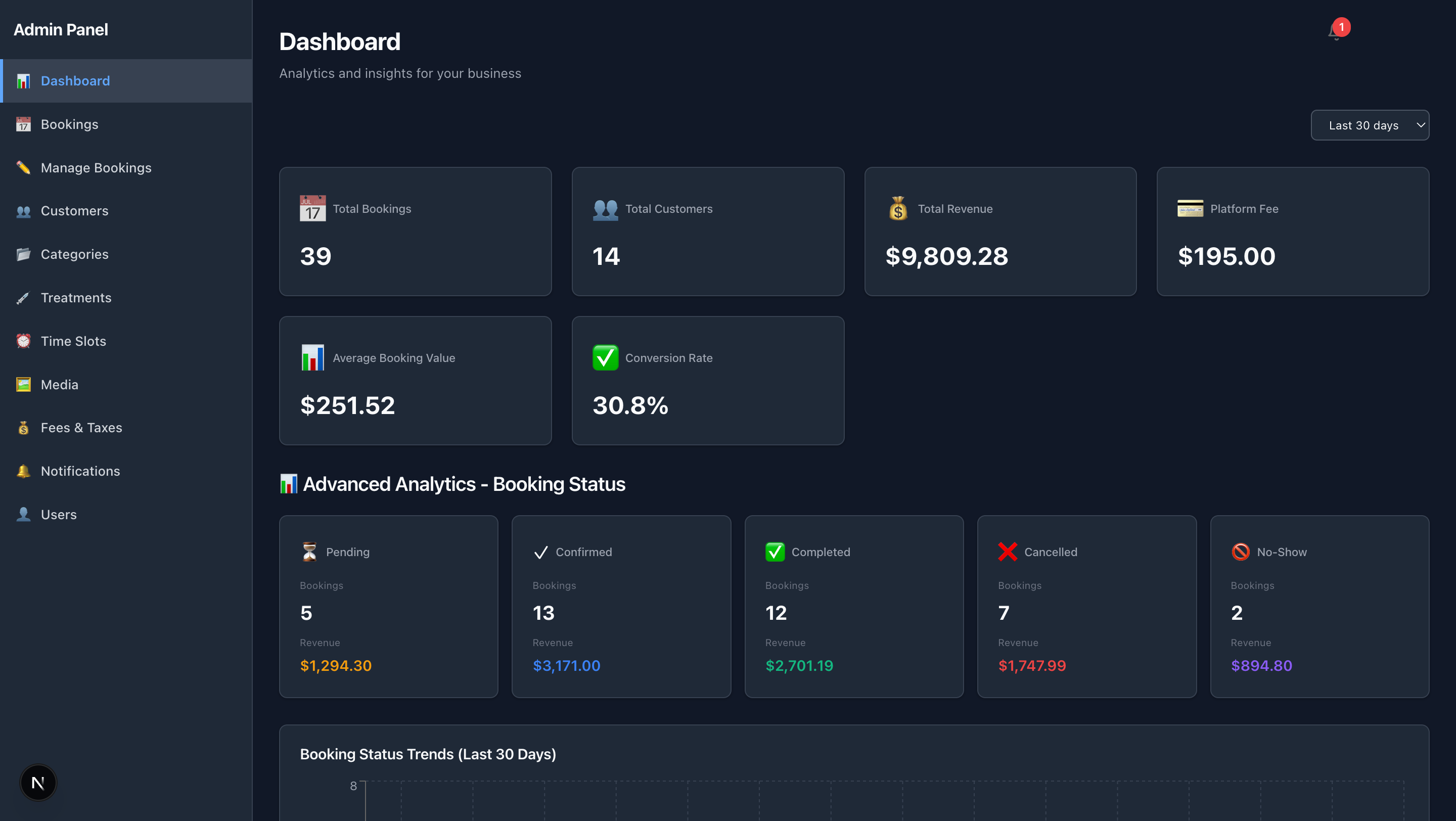
Admin Dashboard
Overview of all bookings and business metrics
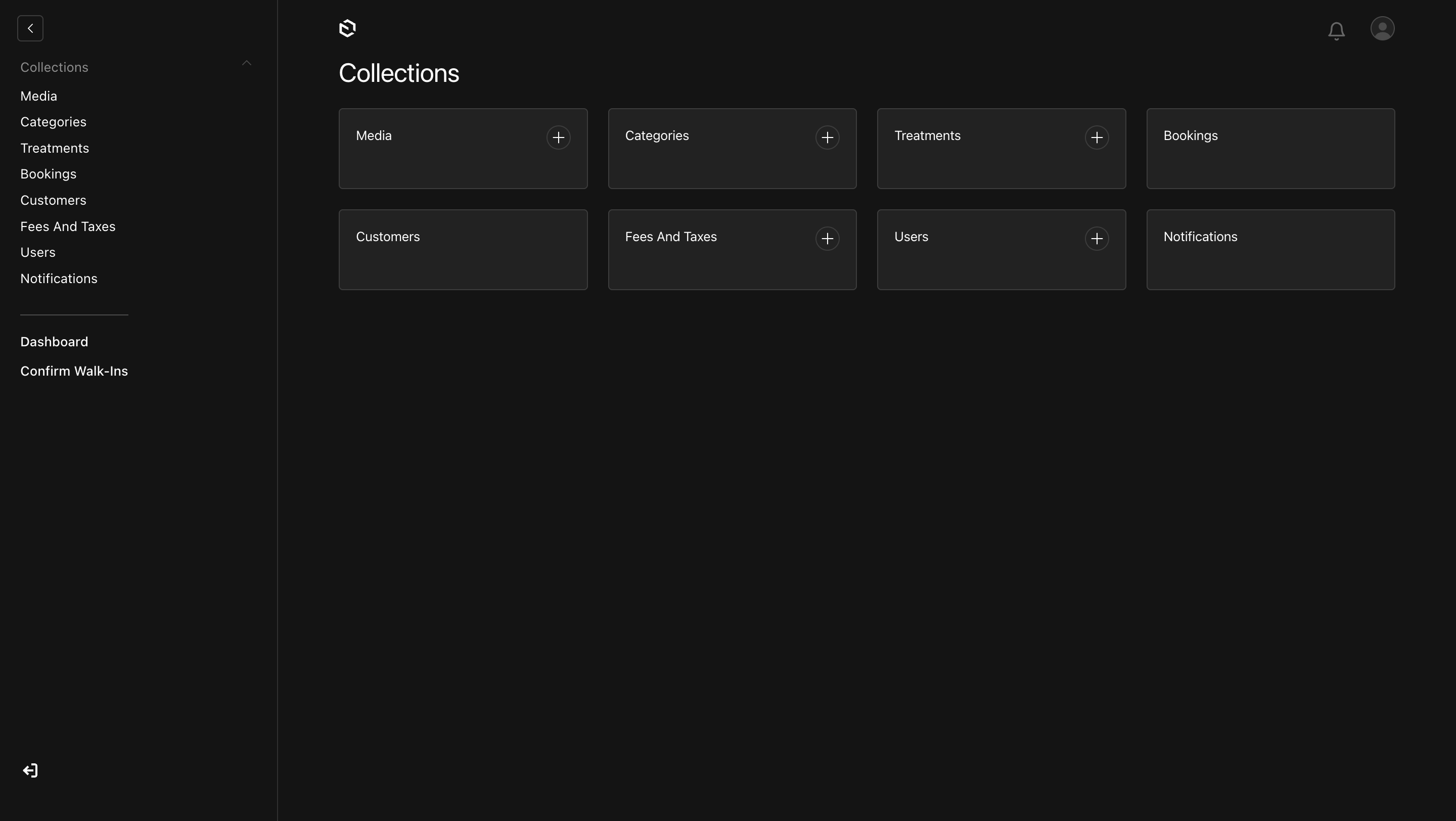
Admin CMS – Main View
Central hub for managing your wellness business
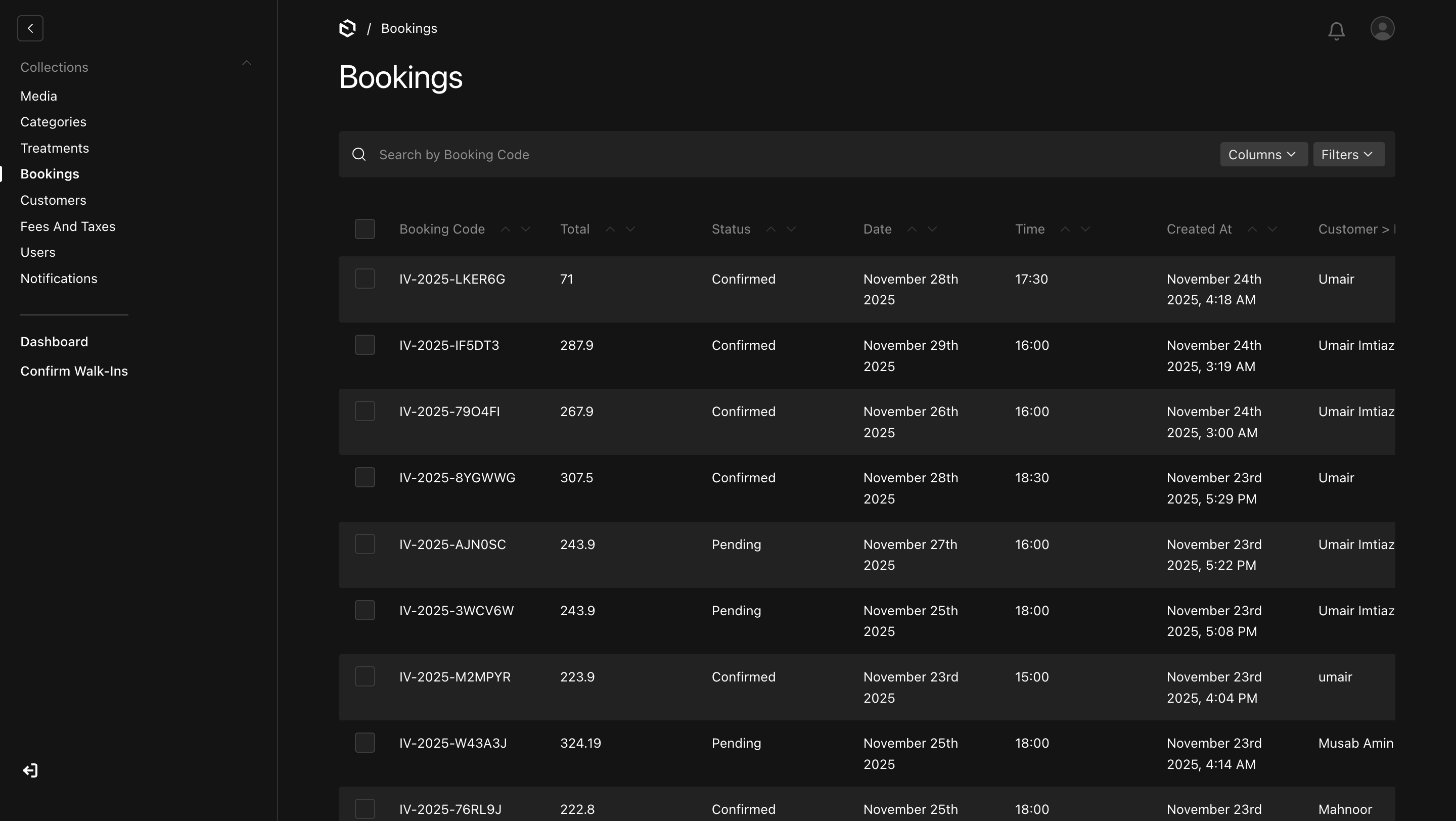
Admin CMS – All Bookings
Manage and view all customer bookings
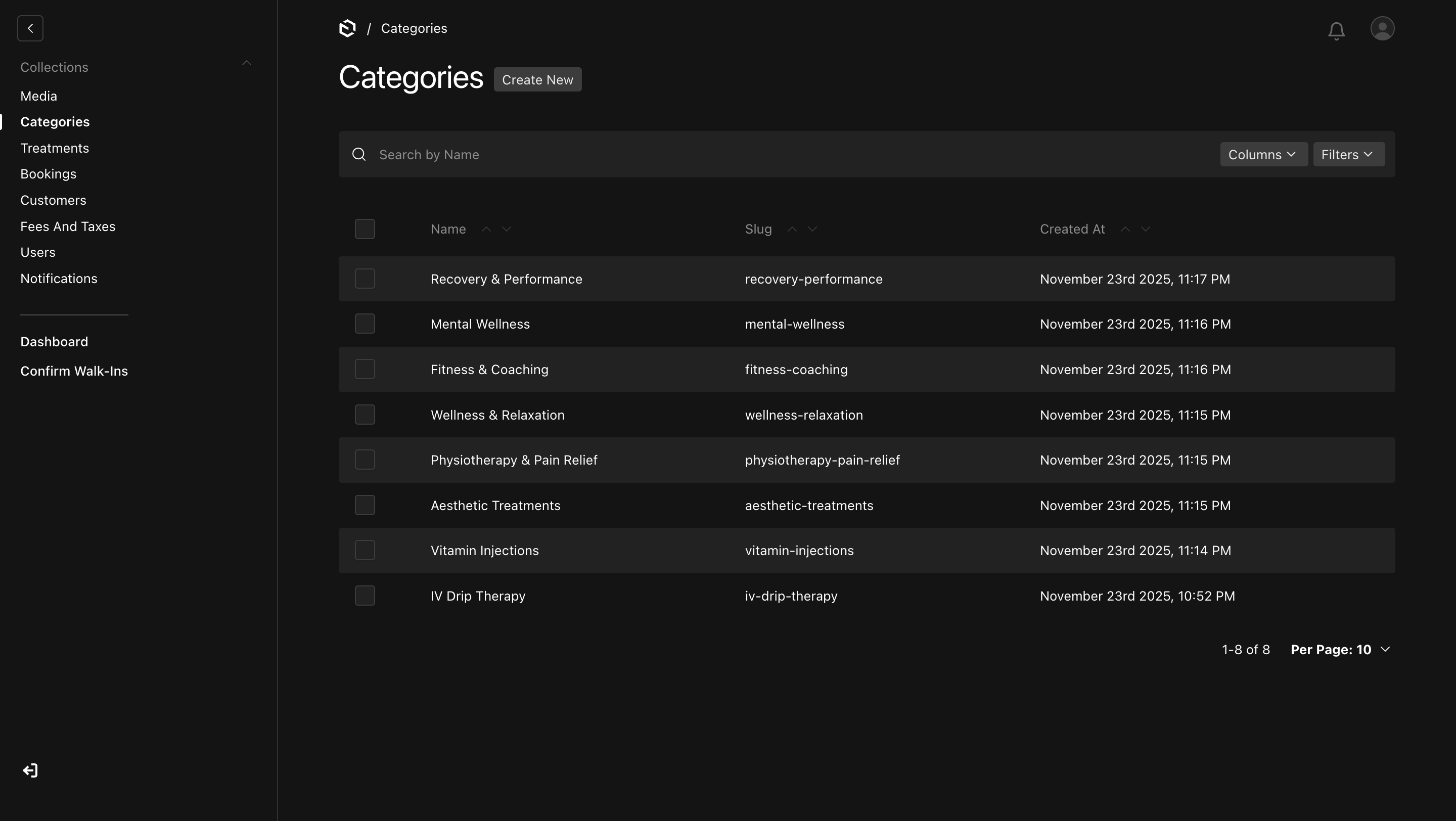
Admin CMS – Categories
Organize and manage service categories
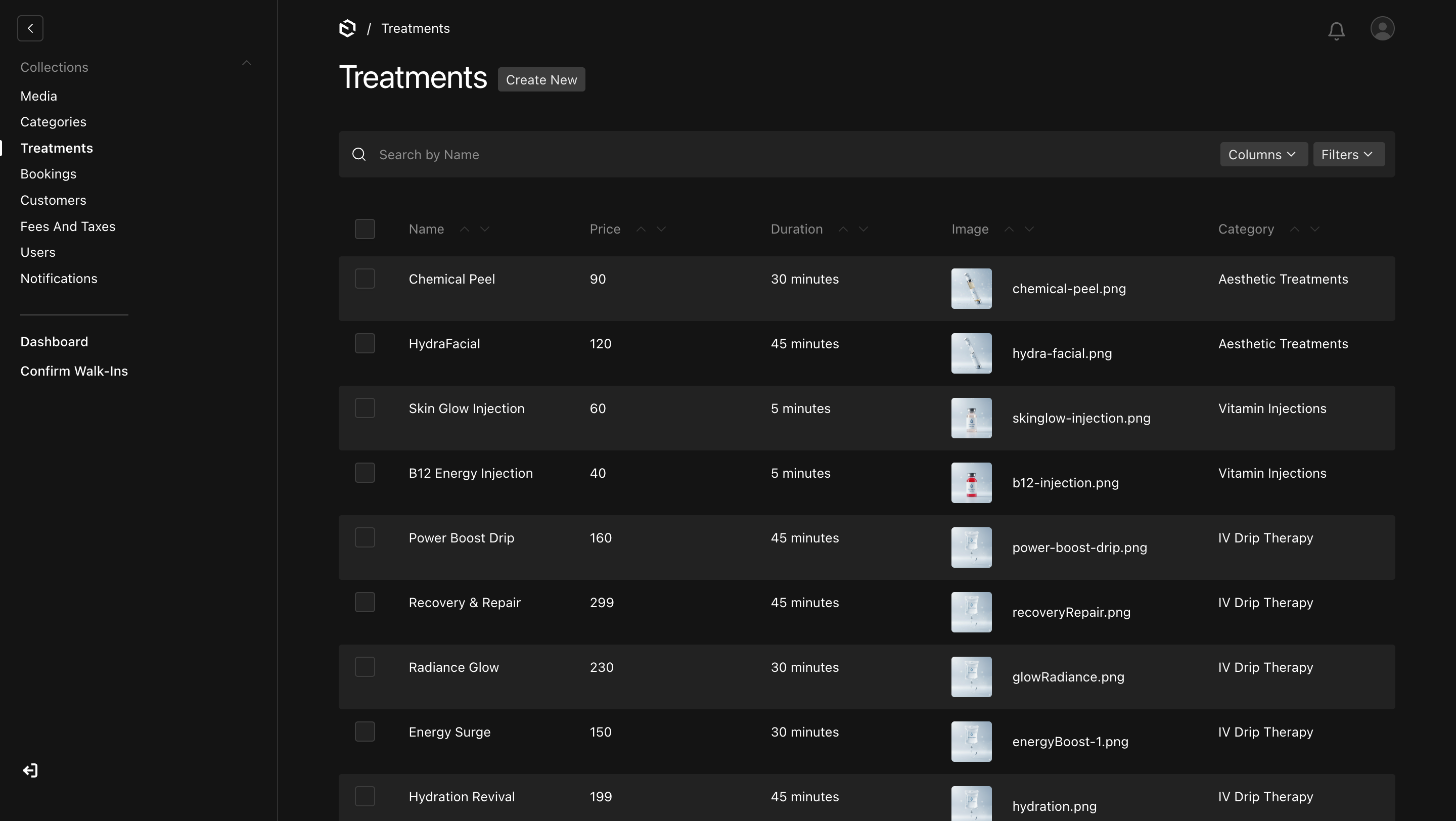
Admin CMS – Treatments
Manage your treatment offerings and pricing
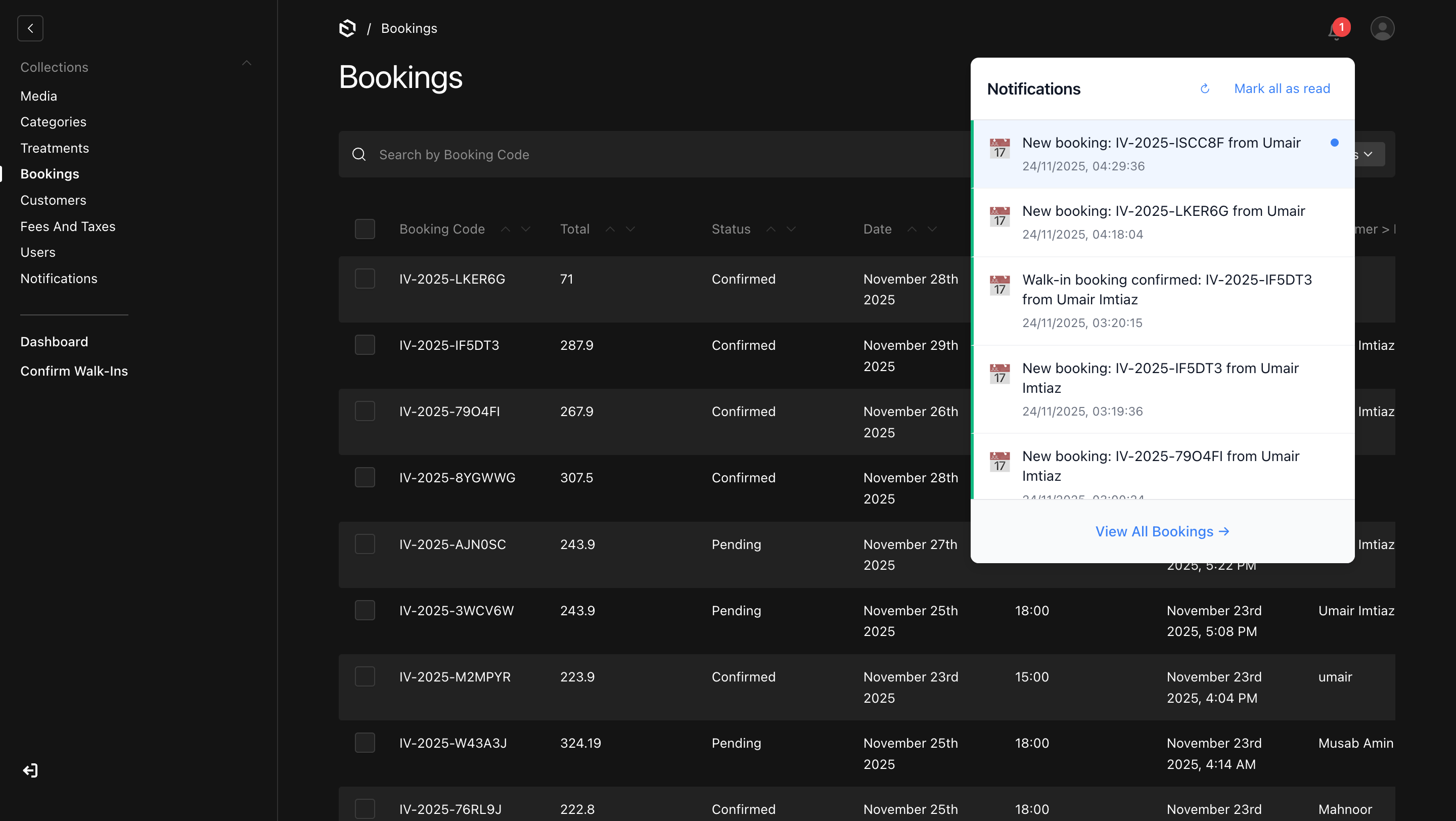
Admin CMS – Real-Time Notifications
Instant alerts for new bookings and updates
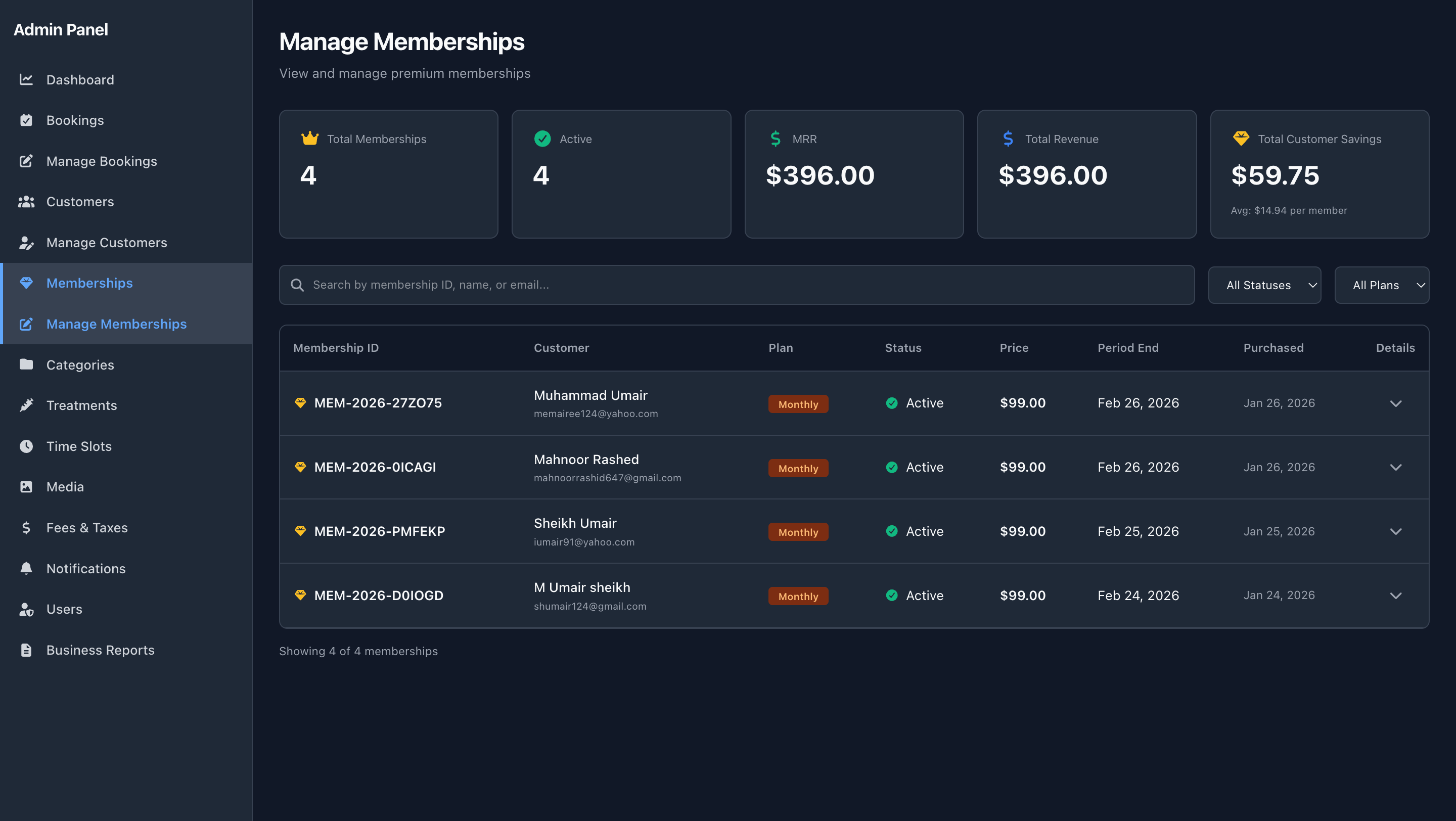
Admin CMS – Membership Management
Create and manage membership plans, pricing, and perks
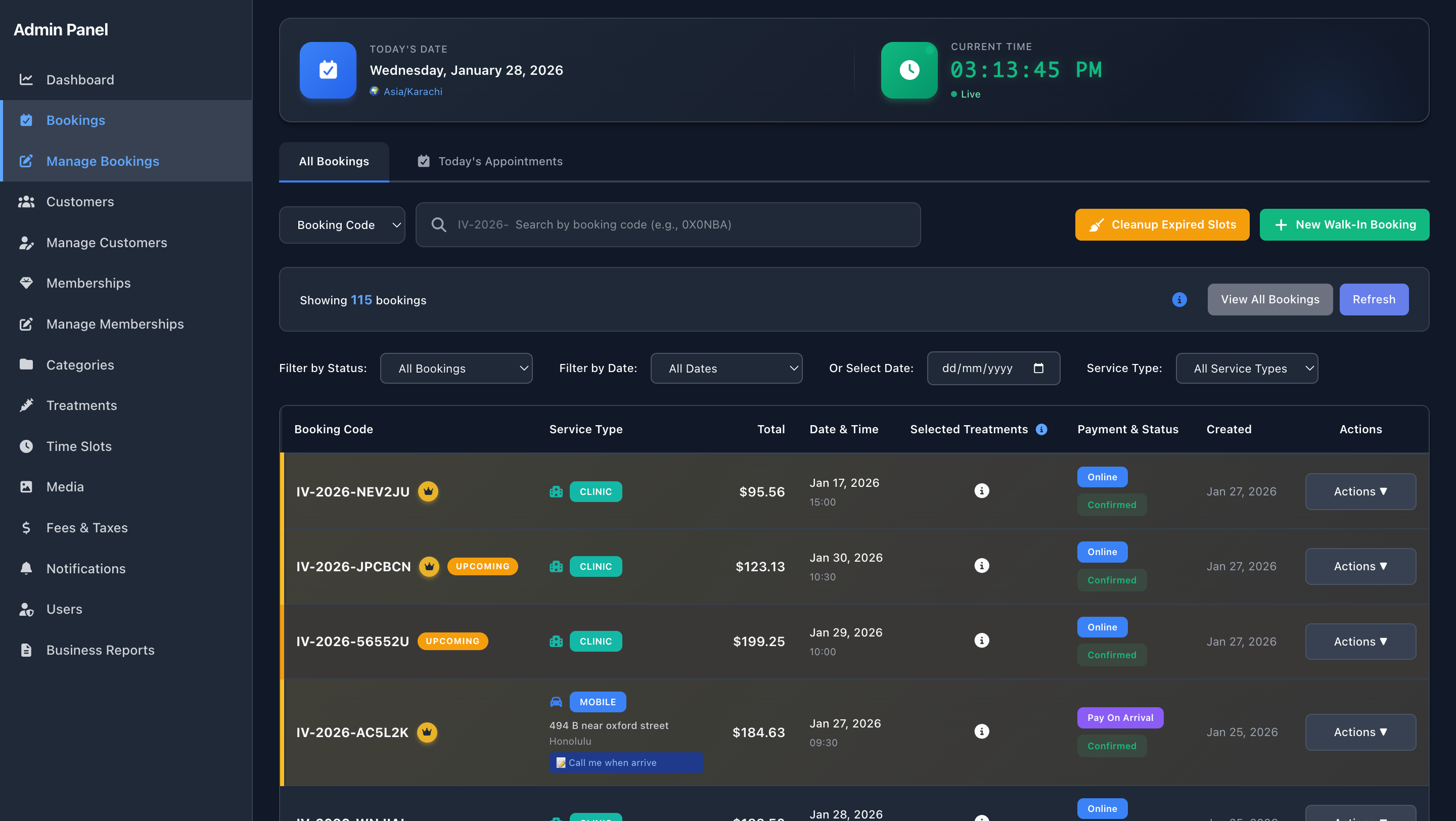
Admin CMS – Membership Bookings
Track sessions and bookings covered by memberships
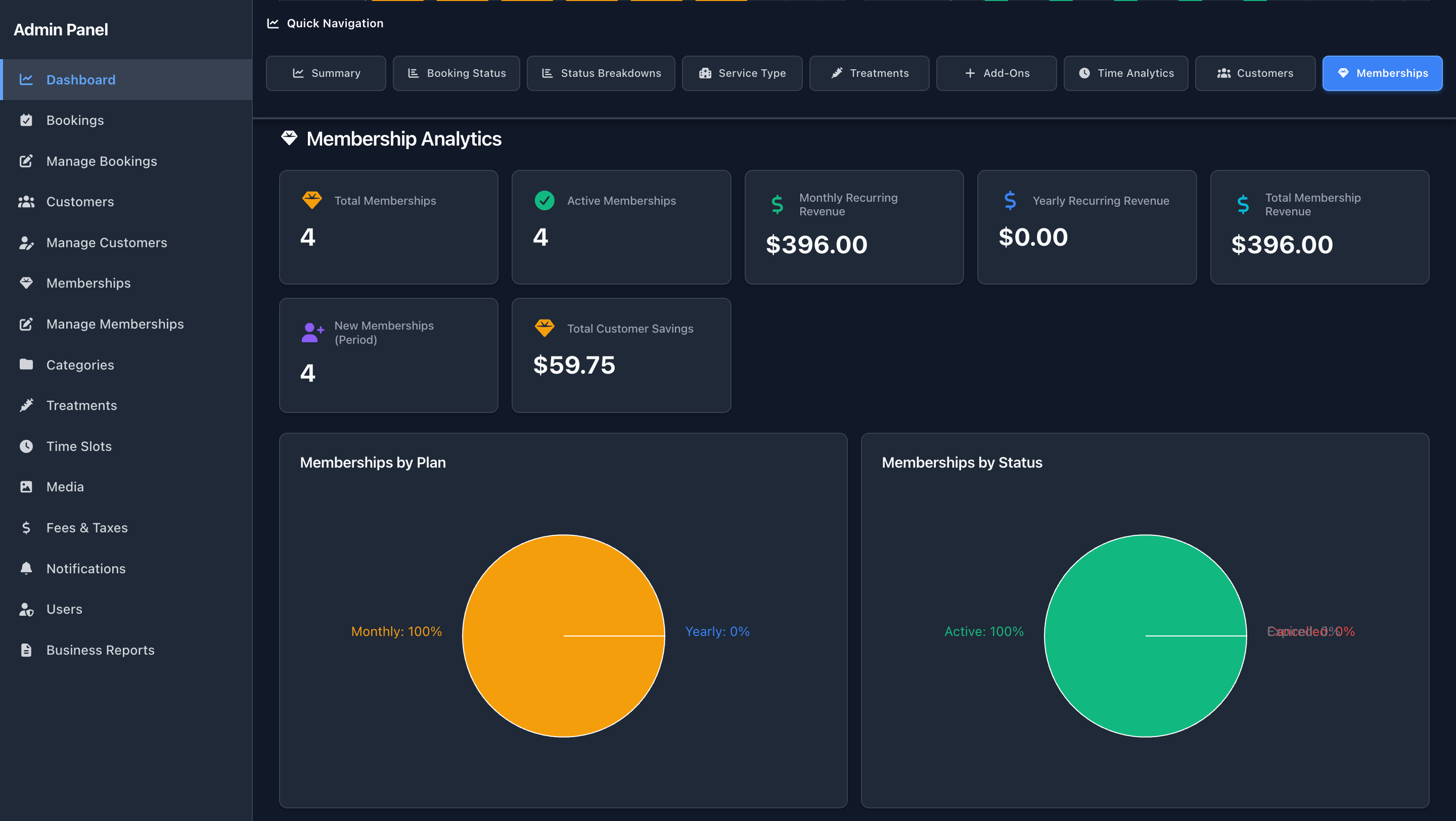
Admin CMS – Membership Dashboard – Insights
Monitor membership revenue, churn, and growth trends
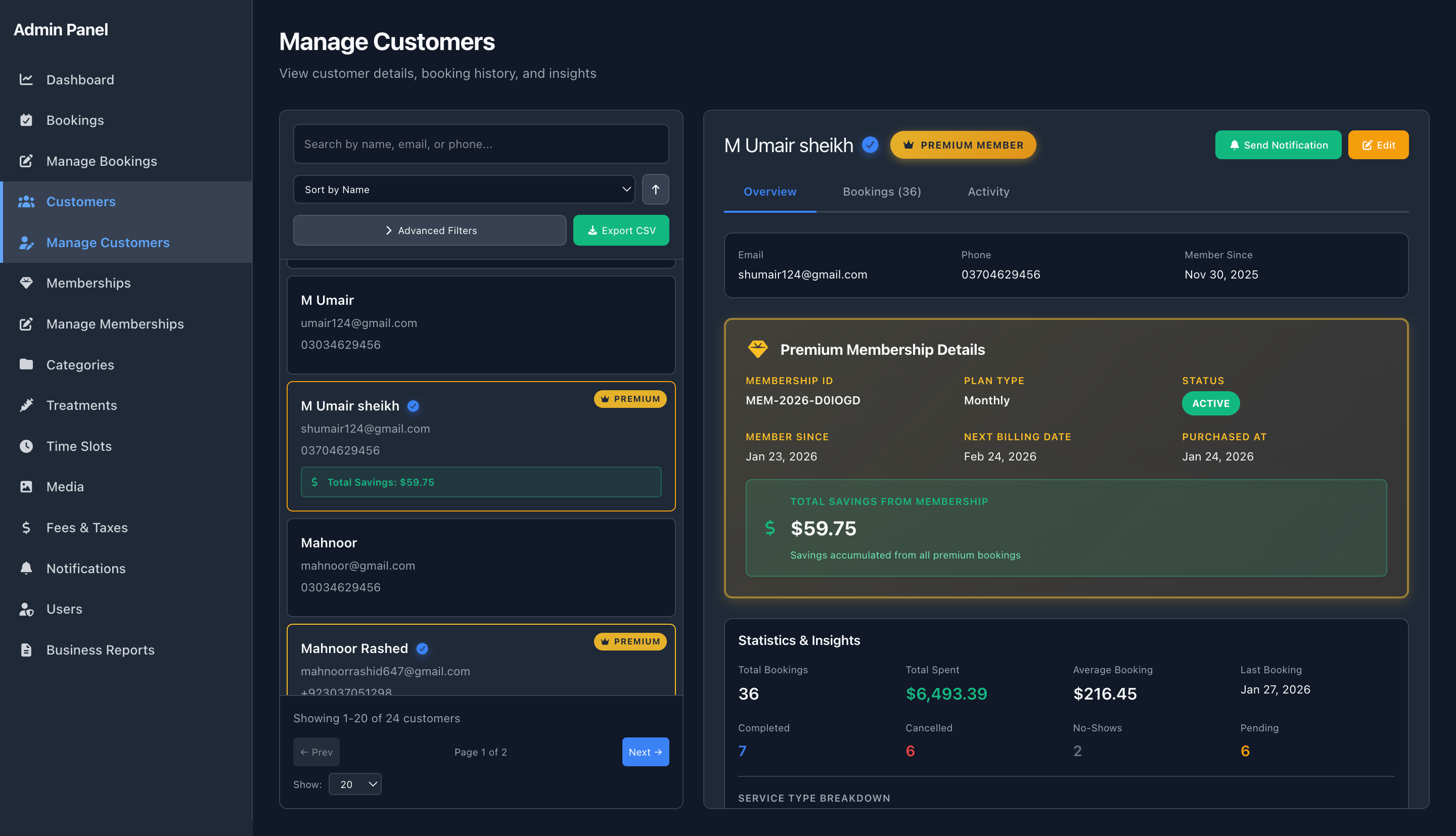
Admin CMS – Membership Customers – History
View each customer's membership lifecycle and payments
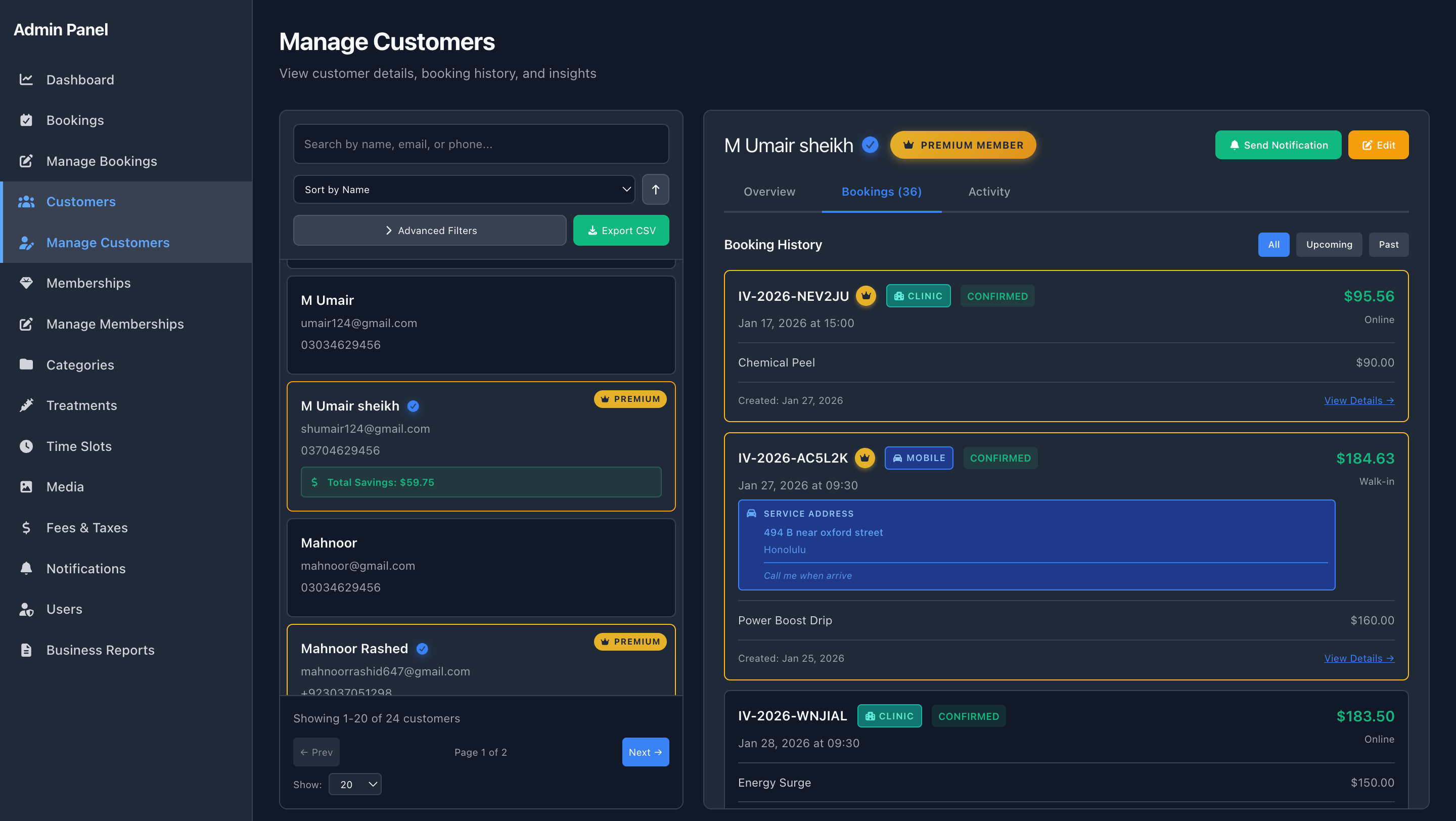
Admin CMS – Membership Customers – Booking History
Analyze how members use their benefits across bookings
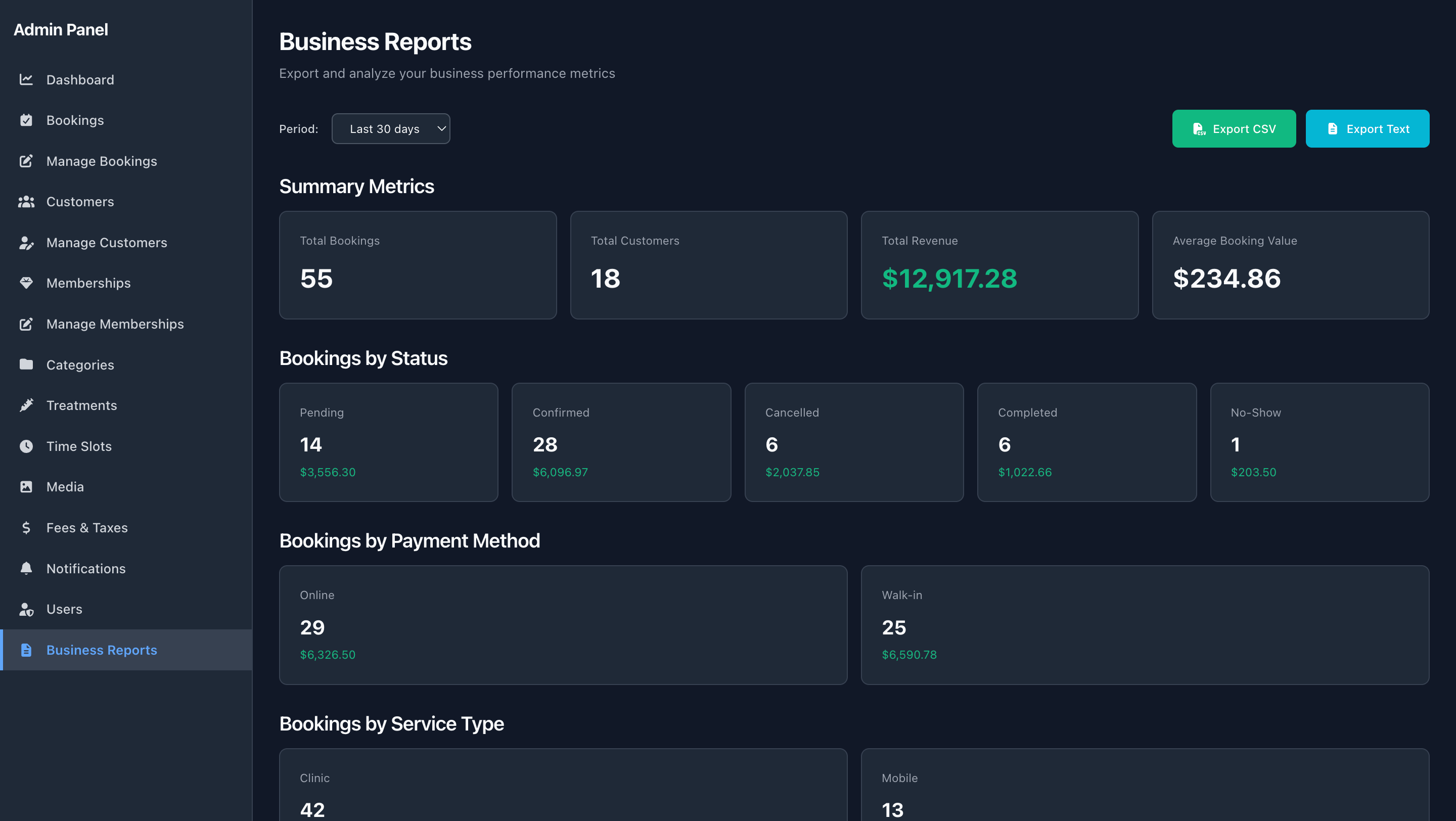
Admin CMS – Business Reports View
Deep reporting across bookings, memberships, and revenue
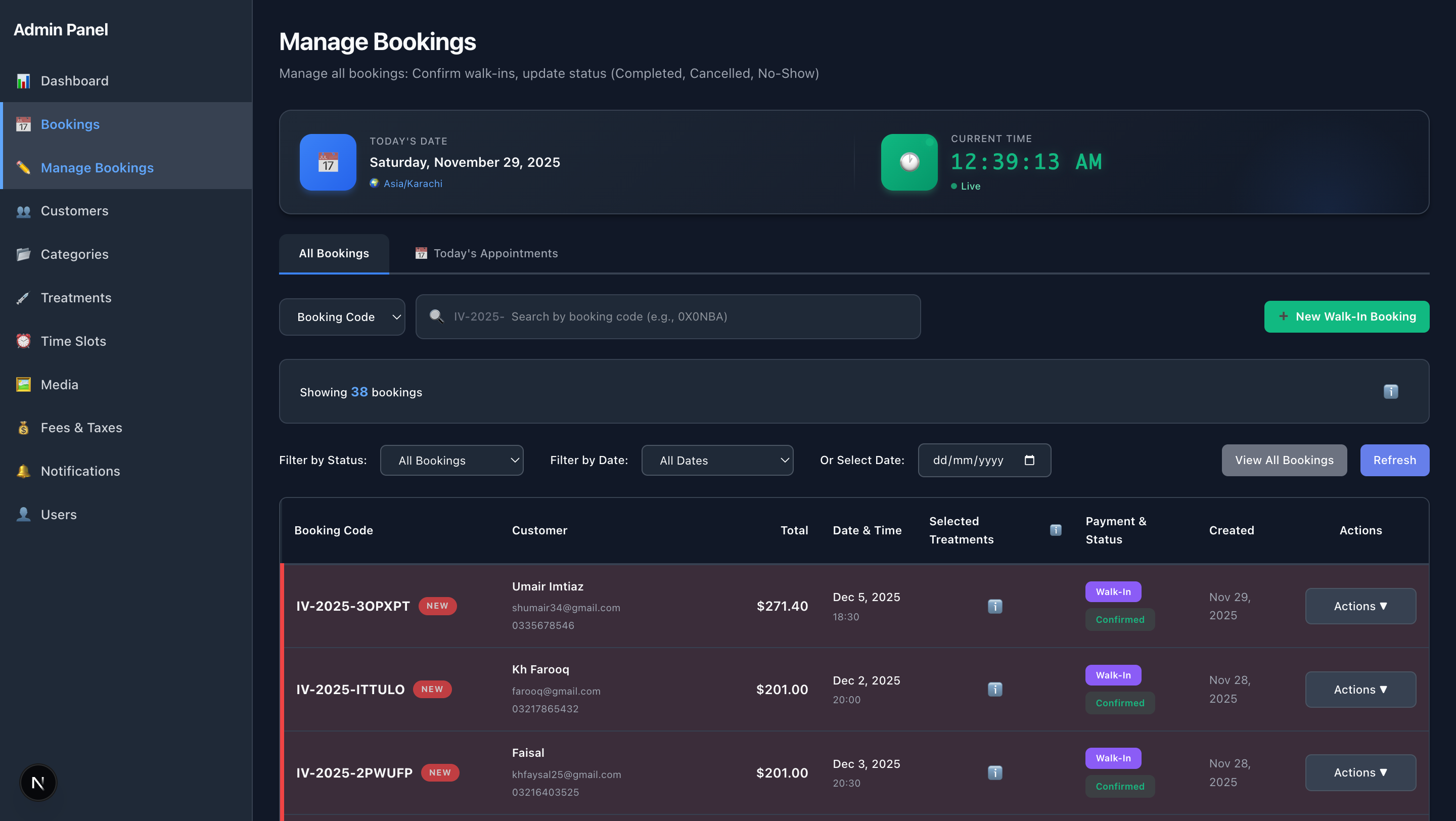
Admin CMS - Advanced Manage Bookings
Advanced booking management with status controls, date filtering, new booking highlighting, and email notifications
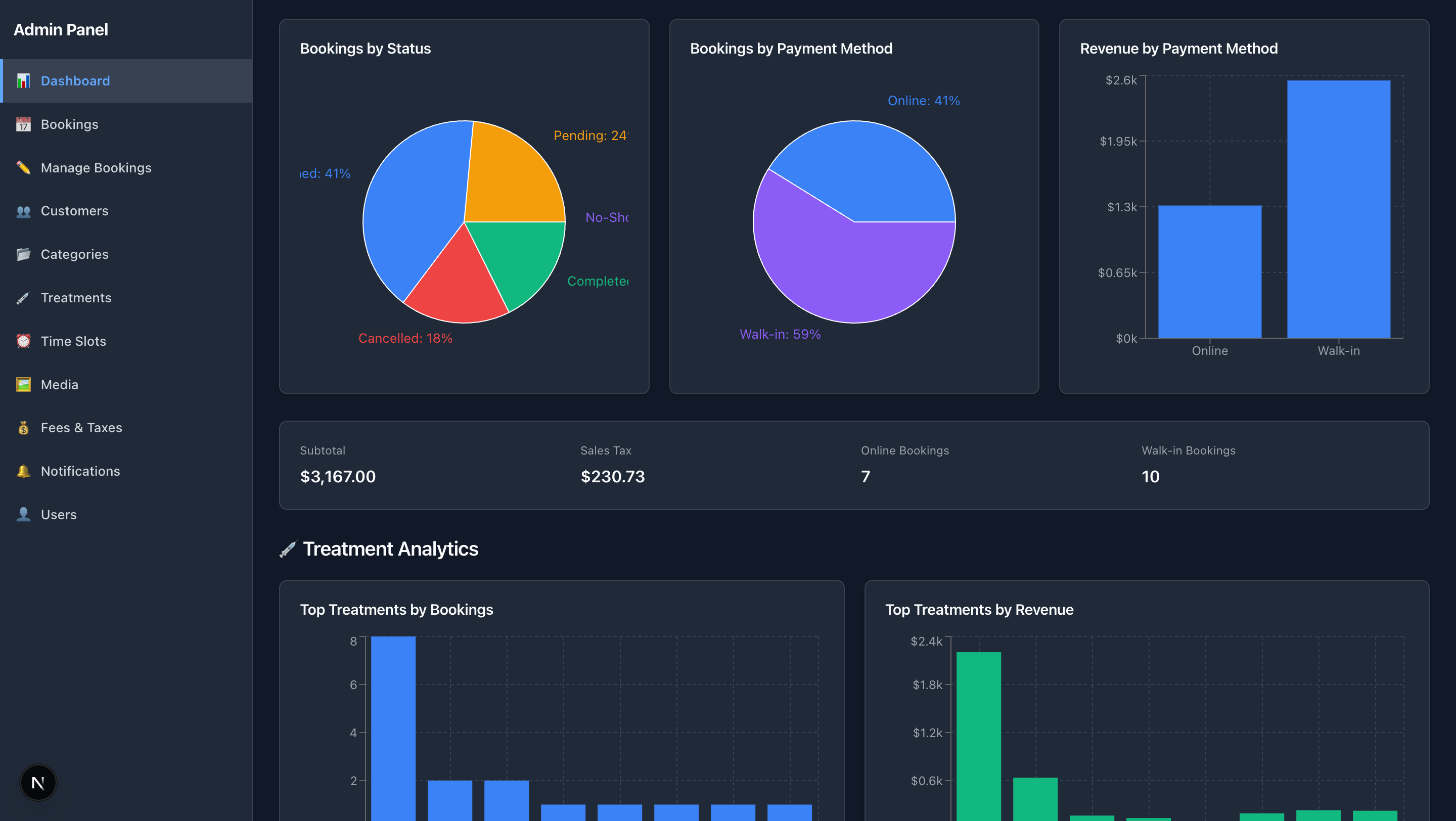
Admin CMS - Advanced Dashboard – Analytics
Comprehensive analytics with booking status, treatment performance, and customer insights
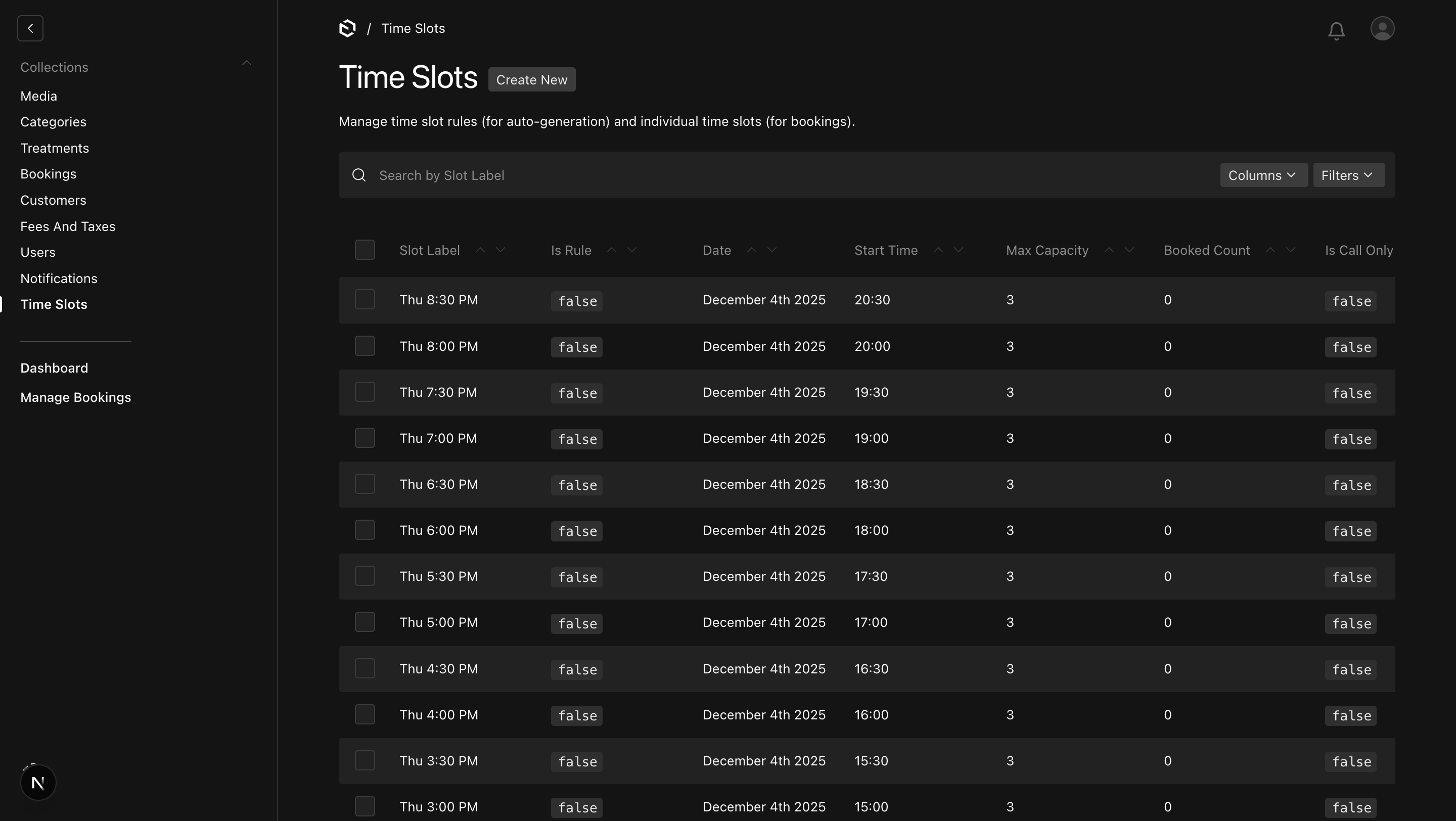
Admin CMS - Advanced Time Slots Management
Dynamic time slot configuration with rules, capacity tracking, and timezone support
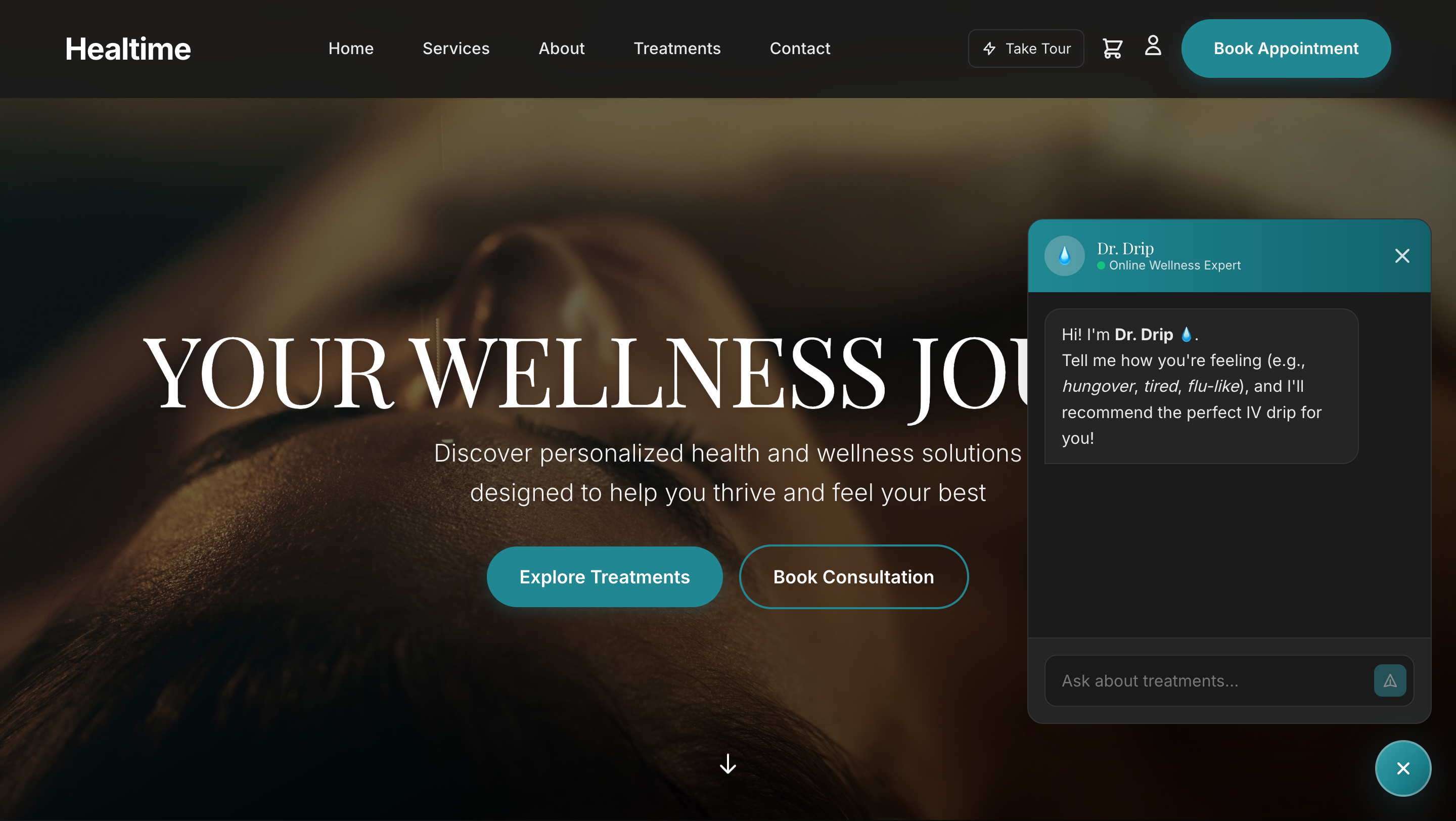
AI Chatbot - Smart Treatment Recommendations
Powerful AI tool that recommends the perfect available treatment for customers based on their symptoms, enhancing customer experience and increasing booking conversions
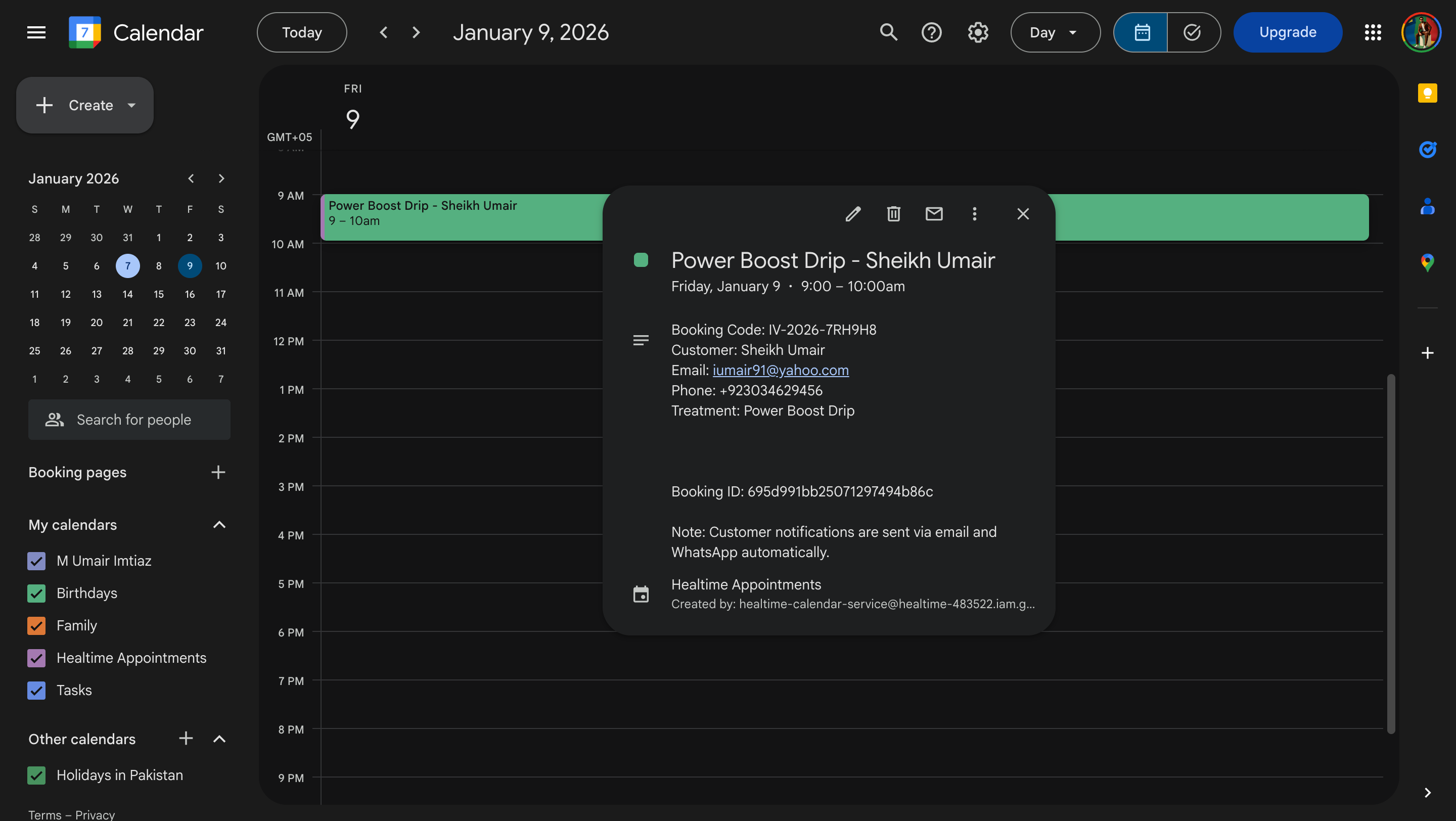
Admin CMS - Real Google Calendar Integration
Real-time two-way synchronization with Google Calendar, ensuring seamless appointment management and preventing double bookings
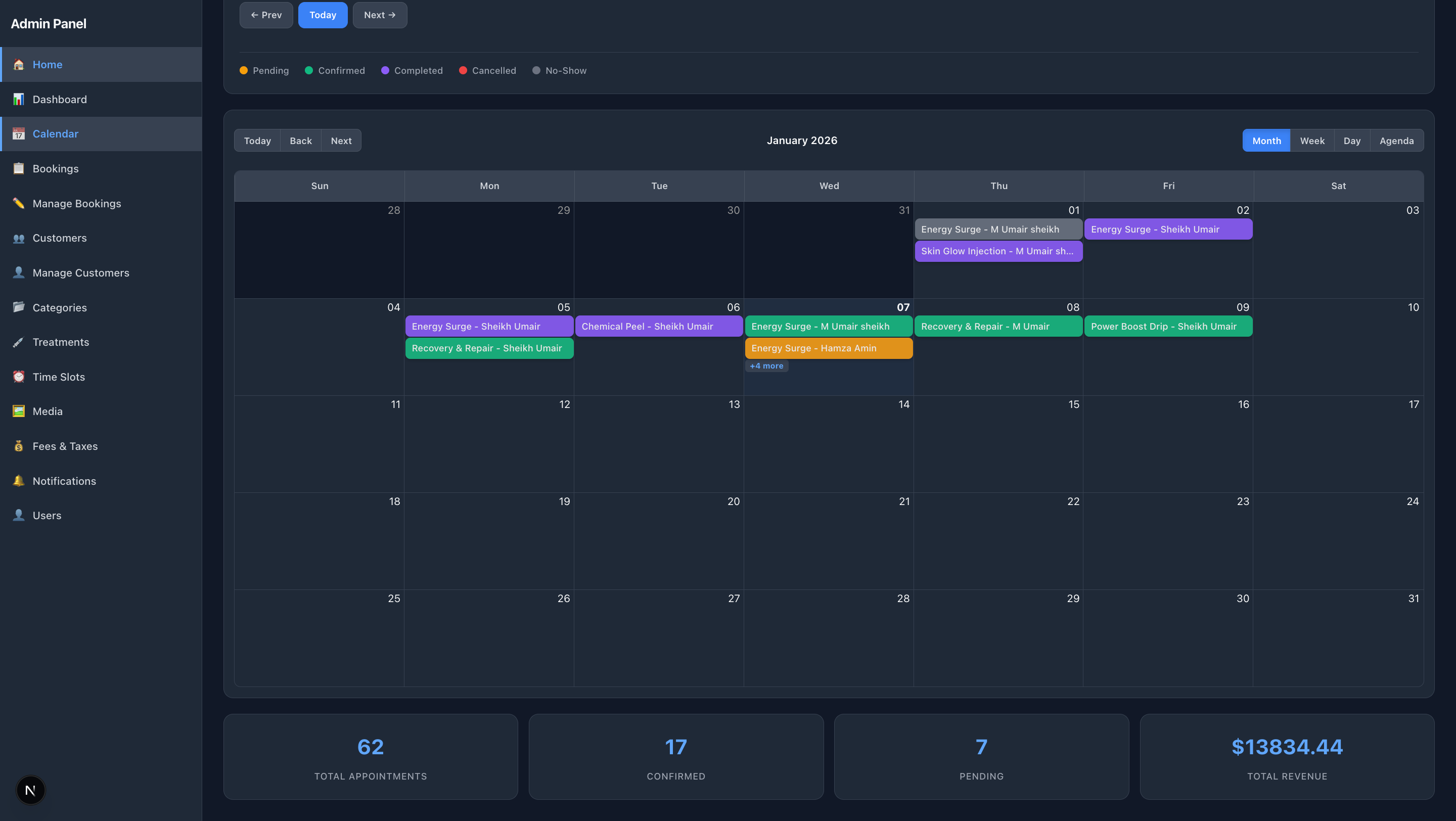
Admin CMS - Advanced Calendar View
Comprehensive calendar interface showing all appointments with visual scheduling, availability management, and drag-and-drop functionality
Advanced Features
See the powerful advanced features in action - booking management, analytics dashboard, and time slot configuration
Advanced Booking Management
Watch Manage Bookings
Status management, date filtering, new booking highlighting, and email notifications
Advanced Analytics Dashboard
Watch Dashboard Demo
Comprehensive analytics with booking status, treatment performance, and customer insights
Quick Walkthrough
A short overview of how customers book and how you manage everything in Healtime.
5-Minute System Walkthrough
Ready to See How This Fits Your Business?
Book a quick call and we'll walk you through your version of Healtime.